

Series · Why AI is stalling
Why AI at work stalls
Most AI at work stalls because it doesn't know your team's rules and waits to be asked. Here is why AI projects fail in operations, and what changes when the routine queue goes to a worker that knows them.
Inovagio team · Published · Updated · 8 min read
On this page
At 8:40 on a Monday, the accounts payable lead at Quarry Lane Distributors finds Friday's invoices still in the shared mailbox. (Quarry Lane Distributors · Example company) In the spring everyone in finance got an AI assistant, and people use it daily to tidy an email or summarize a contract. Nobody calls the rollout a failure.
This is often why AI projects fail in operations: nothing breaks, but nothing moves either. Most AI at work stalls because it doesn't know how your team does the work, and it waits to be asked. The assistant helps people type faster, and the queue is still there on Monday.
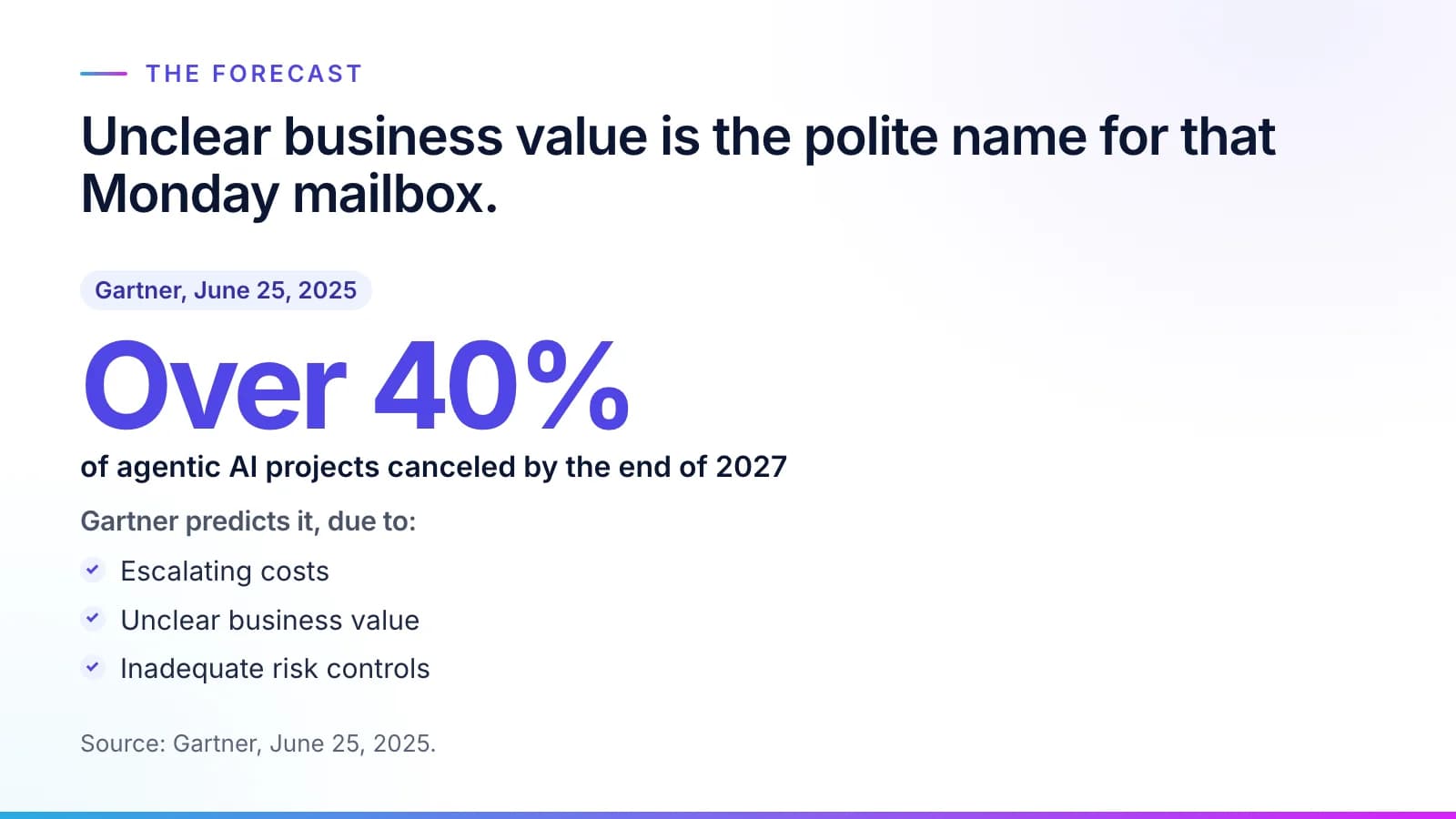
The forecasts say the same thing in harder language. "Gartner predicts over 40% of agentic AI projects will be canceled by the end of 2027, due to escalating costs, unclear business value or inadequate risk controls" (Gartner, June 25, 2025). Unclear business value is the polite name for that Monday mailbox.
What the failure-rate studies measure
#The numbers quoted about AI failure measure different things, so read the question before the percentage. Gartner's 40% is a forecast about agentic AI projects being canceled. A separate Gartner prediction is about data: through 2026, organizations would abandon 60% of AI projects unsupported by AI-ready data (Gartner, February 26, 2025), which is why data hygiene for AI comes first. A third is about who builds the system: "Gartner predicts 70% of enterprises will abandon agentic AI built by vendor forward-deployed engineering by 2028" (Gartner, September 29, 2026). Our piece on forward-deployed engineers covers that one.
None of the three says the model can't do the work. Each points at something around it: the value, the data or who owns the result.
AI projects in operations fail on two separate gaps
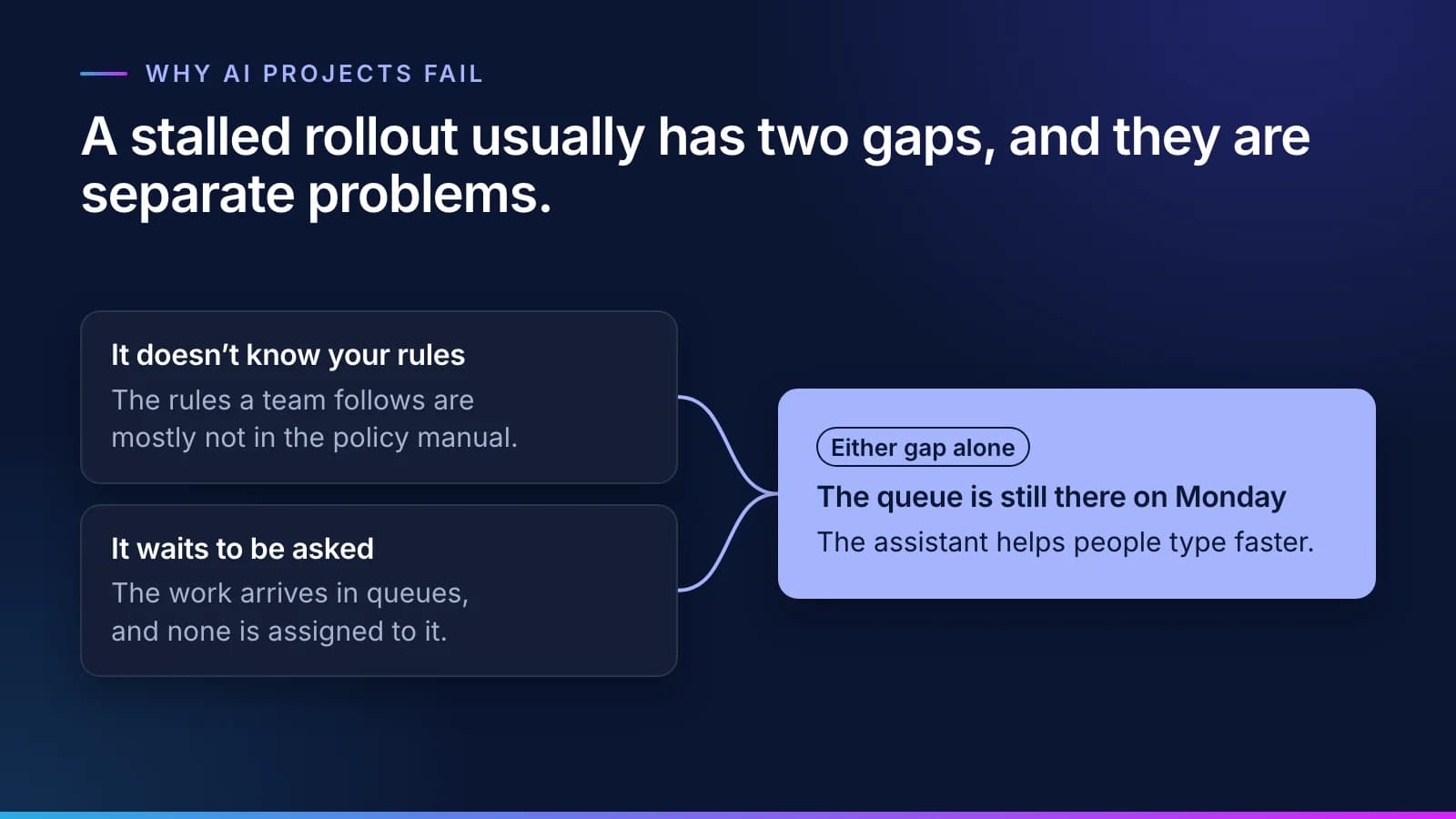
#A stalled rollout usually has two gaps, and they are separate problems. One is knowledge: the tool doesn't know how your business does the work. The other is assignment: no one has given it any work to do.
Closing only one of them doesn't help much. A tool that knows your rules but waits to be asked is a better search box. A tool with a queue and no rules makes the same wrong guess a thousand times, and someone on your team has to find each one before it reaches a customer or the ledger.
The assistant doesn't know your rules
#The rules a team follows are mostly not in the policy manual. They are in the head of the analyst who has run the queue for eleven years: which vendor always bills freight on a separate invoice, which variance the controller lets through at month-end, which purchase orders a buyer always amends after the goods arrive. The manual says what should happen. The team knows what actually happens, and why.
An assistant reads the manual, perhaps the shared drive, and guesses at the rest. Organizations know this. In Box's 2026 State of AI in the Enterprise survey, "96% of organizations say it's important or very important that agents can access company-specific content and knowledge" (Box, State of AI in the Enterprise 2026).
Access to documents is a start, but documents disagree with each other and with practice. Teaching a worker the job means writing the rules down and having the people who know them approve each one.
The approved rules then sit with your vocabulary and records in a context layer the worker reads before it acts, and each result is checked against them. That is how we do it: our agents interview the people who do the work and read the records, then draft the rules one at a time, each tied to who said it.
The approver your organization names for that kind of rule approves or corrects it. How Virtual Employees learn your rules walks through the method, and why the knowledge build stalls covers what slows it down when people do it by hand.
So instead of guessing from your documents, the worker looks up the approved rule.
The assistant waits to be asked
#An assistant waits for a prompt. Work at a regulated company doesn't arrive that way. It arrives in queues: a shared mailbox, a folder of scanned forms, a worklist in the billing or lending system. Each queue has an owner, and that owner is judged on backlog, rework and the cost to serve.
To put AI to work, you assign it one of those queues. It also needs an account of its own, a limit on what it may touch, and a named person to hand the exceptions to. Without them, every result depends on someone remembering to ask, and the answer still has to be keyed into the system of record by hand. The assistant saves some typing, and the backlog stays where it was.
Search for this kind of software and you will find it sold as AI employees or AI agents. We call it a Virtual Employee, and what separates it from an assistant is practical: a worker, not a conversation. It has a queue, a memory of its own past work, a receipt for every task, the approvals and spot checks its rules set, and a stop button. A correction changes its work only once it becomes an approved rule. None of that depends on which model it runs.
What changes when both gaps close
#A department hires a Virtual Employee for one routine queue, using the same steps it would for a person: an interview, approval of the rules, an account, a test and shadow mode, then the work. The full hiring process explains each step.

From then on the routine work goes to the Virtual Employee. Exceptions and judgment calls go to a person with the reason attached, and so does every regulated decision. A task the checks can't confirm moves to the Needs a person queue. The person's fix is drafted as a new rule, its owner approves it, and every task after that reads the updated rule. A mistake your team fixes once stays fixed, and the guide to how a rule is approved shows what that rule looks like.
The models don't retrain themselves along the way. The rules change, each change has an approver, and any change can be rolled back. That is the AI feedback loop built into the work. Hiring a Virtual Employee for one queue shows the whole arrangement on one page.
How to tell which gap you have
#Three questions sort it out, and none takes more than a few minutes.
- Ask your AI tool something only your most experienced person can answer. If it guesses, it doesn't know the job.
- Ask where its work comes from. If the answer is "whoever remembers to open it," it is still waiting to be asked.
- Ask what the last hundred tasks cost and how many were right. If no one can say, you can't tell whether it's working.
Tip
Ask the three questions about one queue, not the whole department. One queue gives a clear answer; a department gives an average.
The third question matters most to a CFO. We measure cost per correct task: the AI and compute cost, the platform's share, the minutes your people spend reviewing and the cost of rework, divided by the tasks done correctly. It is set against what the same task costs you today. How cost per correct task is calculated shows every input, and the guide to measuring it gives your finance team a worksheet for its own numbers.
Start with one queue
#Rollouts that succeed start small and specific: one team, one high-volume queue full of rules, one named owner, and a baseline measured before anything changes. Two or three measures, such as cost per correct task or cycle time, go into the charter your sponsor signs, and the test and shadow mode run on your own cases. Picking your first queue covers the signs of a good fit and the signs to wait, and AI stakeholder alignment covers getting every team that must say yes to say it on a date.
Keep the assistant; it's good at what it does. The queue needs a worker that knows your rules and is assigned to it. The questions buyers ask most are answered in Virtual Employees: questions and answers.
Questions
What people ask.
Why do AI projects fail at work?
Most AI projects at work fail for two reasons. The tool doesn't know the rules your team actually follows, which live in experienced people's heads, and it waits to be asked while the real work sits in a queue. People use it, nothing breaks, and the backlog stays the same.
Why isn't our AI assistant reducing the backlog?
Because an assistant waits to be asked, and the backlog arrives in a queue. People use it to write and summarize faster, but someone still has to open each item, decide it and key the result into the system of record. Moving the backlog takes a worker assigned to the queue, with rules your people approved and a person for the exceptions.
Should we stop using our AI assistant?
No. An assistant is good at drafting, summarizing and answering, and most teams should keep theirs. It just isn't built to work a queue. A Virtual Employee takes that job: it learns your rules from your people, works the routine queue inside them, and hands the exceptions to a person, so the two work side by side.
How can I tell if our AI rollout has stalled?
Your AI rollout has stalled if usage is high but the backlog hasn't moved. Check three things: whether the tool knows rules only your senior people know, whether it works from a queue or waits to be asked, and whether anyone can say what the last hundred tasks cost and how many were correct.
How do we know whether AI at work is paying off?
Measure cost per correct task and set it against what the same task costs you today. Count the AI and compute, the platform's share, your people's review minutes and rework, then divide by the tasks done correctly. Cost today's process the same way before anything is built, from your records and your team's estimates, so the comparison is like for like.
The products, industries and examples it covers.
- Knowledge layerSynesisTurns your policies, procedures, records and your people’s know-how into a rulebook your experts approve, which you own and can take anywhere.
- Role workersVirtual EmployeesVirtual Employees that plan, act and ask before anything leaves the building. Every plan is checked before it runs.
- IndustryFinance operationsInvoices matched to orders and receipts and coded by your rules, and payments to changed bank details held until a callback is logged. Your team releases every payment.
- OverviewHow it worksTen checked steps from your first decision to the day it handles real cases.
- OverviewWhy InovagioOwn AI that knows your business.
- OverviewHire a Virtual EmployeeThe roles, what each knows, and what always goes to a person.
Read next.
 Article · ApproachA worker, not a conversationWhat is a Virtual Employee? It has a queue, a memory, a receipt for every task, the approvals and spot checks a rule sets, and a stop button. Here is what each one means, and what a Virtual Employee is not. · updated November 18, 2026 · 7 min read
 Article · KnowledgeWhy the knowledge build stallsWriting down how a team really works is where most AI implementation time goes, and almost none of it is spent writing. Four stalls account for most of the delay, and the method is built around each one. · updated November 18, 2026 · 7 min read
 Article · ApproachEnterprise AI doesn't fail on the AITwo things decide whether AI works in a regulated business. One is a platform that can handle the data and do the work. The other is getting every team that has to say yes to say it, on dates. This is how we run the second half. · updated November 20, 2026 · 9 min read
See it on your work
See how one of your tasks runs, start to finish.
A 30-minute walkthrough of one of your workflows, the approval step and the audit record, with the people who build the platform.