

Series · How we solve it
How an AI business rule is written and approved
Every Virtual Employee works from rules approved one at a time by the people you make responsible. What a rule contains, who signs it, how a correction becomes a new version, and how any change is rolled back.
Inovagio team · Published · Updated · 9 min read
On this page
Business rules for AI agents are your company's decisions written down one at a time, each signed by the person responsible for it, so an agent's work can be checked against them.
A vendor emails accounts payable to say its bank details have changed. What happens next depends on who opens the email. One analyst calls the vendor at the number already on file. Another holds the payment for the controller. A third won't pay until someone has phoned the vendor and a second person has signed off. All three are partly right, and none of it is written down.
The right answer, once someone writes it down and the right person signs it, is an AI business rule. It is the unit a Virtual Employee works from, and the unit your auditors will ask about. Every rule raises four questions: what it says, who approved it, what happens when it fails, and how it is changed. This guide takes them in the order a rule lives through them.
Why AI agents need business rules written down
#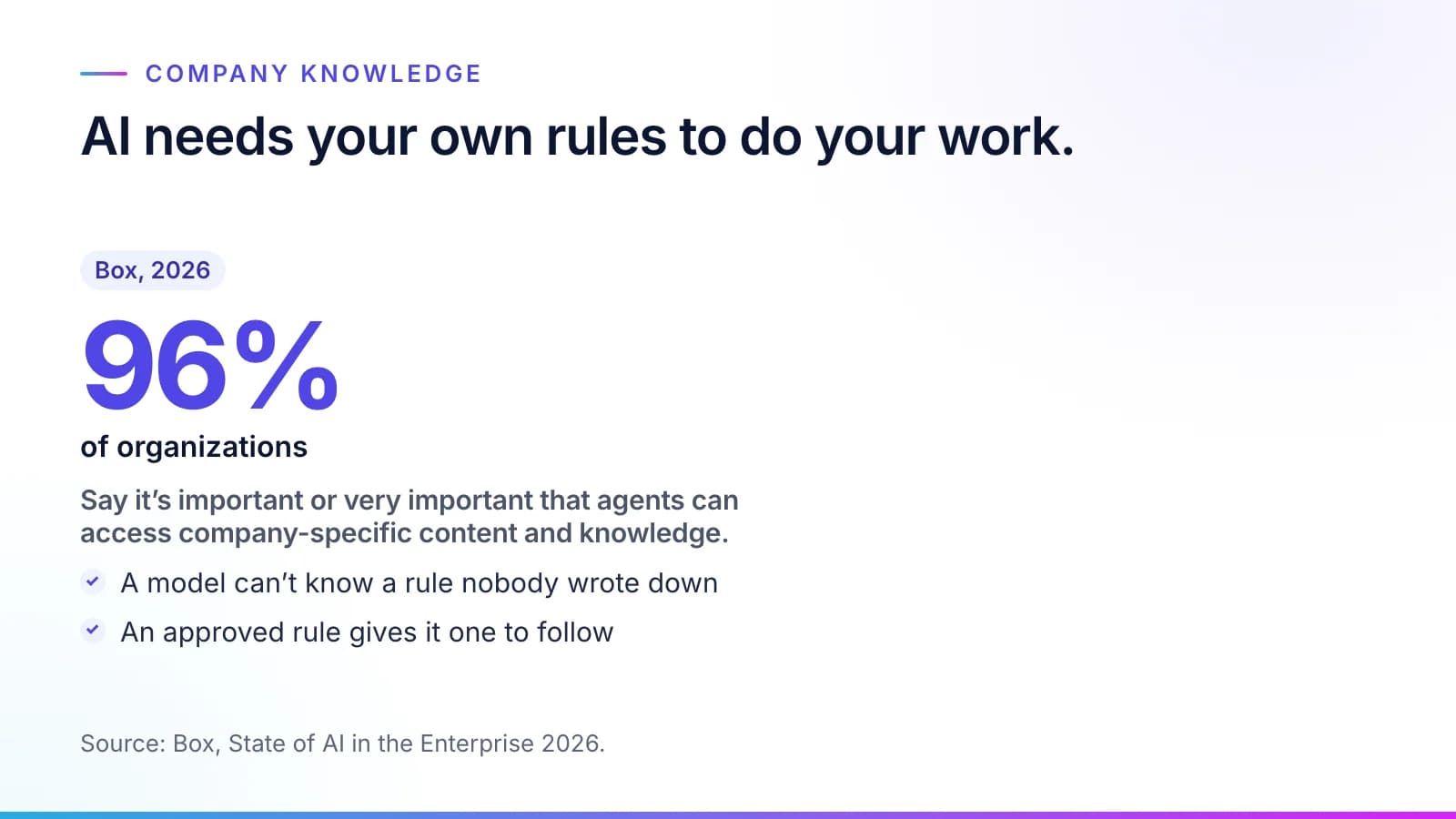
A model trained on the public internet knows a lot about invoices. It knows nothing about your vendor master file or the call your AP lead makes when bank details change.
Buyers know this. In Box's 2026 survey, 96% of organizations say it's important or very important that agents can access company-specific content and knowledge (Box, State of AI in the Enterprise 2026). A written, approved rule is the piece of that knowledge a Virtual Employee can act on, and the piece an auditor can read.
What an AI business rule contains
#A rule holds one decision. It is short enough for its approver to take in at a glance, and specific enough for a check to apply it.
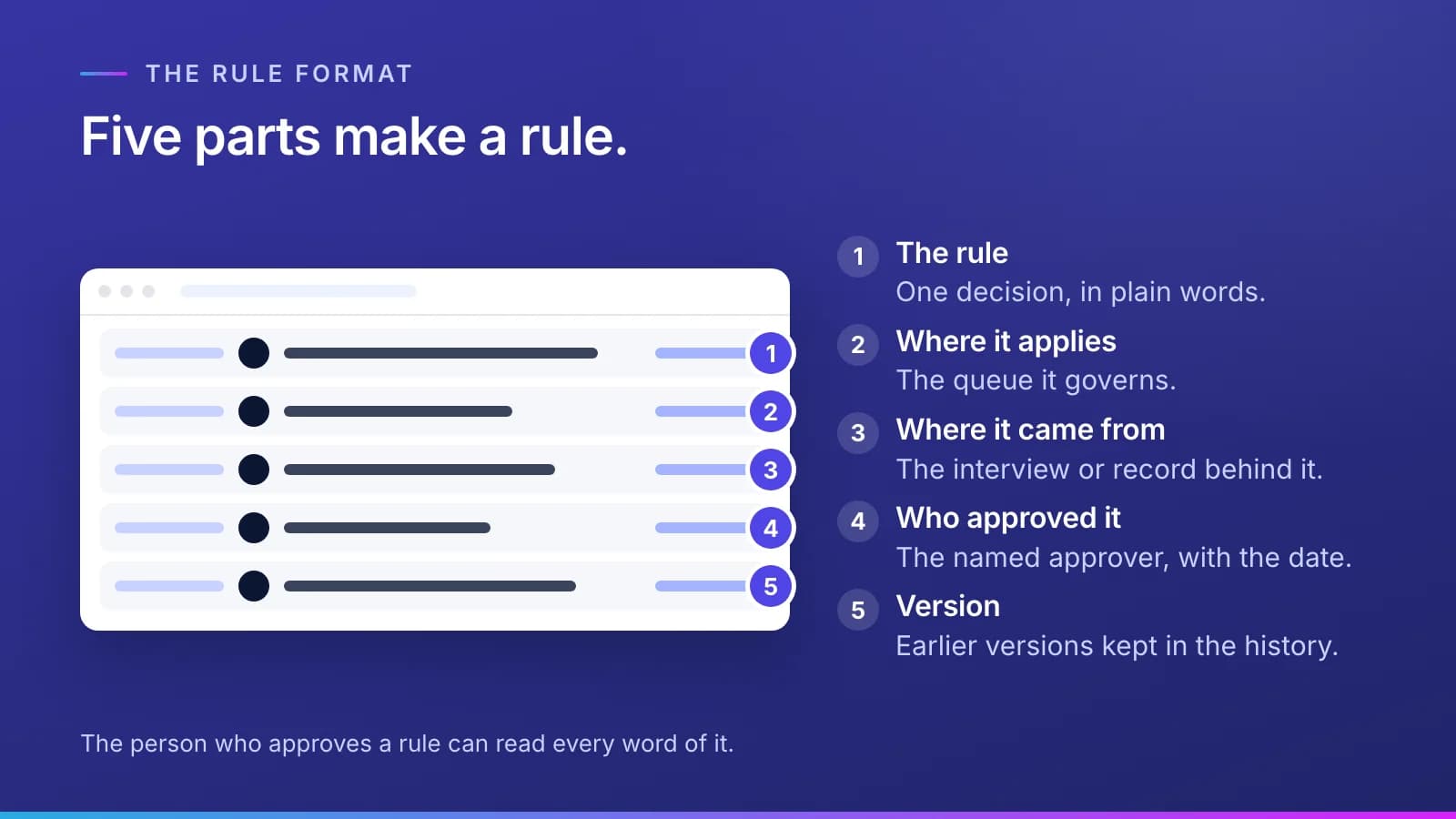
Here is the bank-details rule from the opening, as a distributor might write it down (Northfield Supply · Example company):
| Part | Example |
|---|---|
| The rule | A payment to a vendor whose bank details changed since its last payment waits for a person to confirm the change |
| Where it applies | The accounts payable queue |
| Where it came from | An interview with the AP lead, and the vendor master file |
| Who approved it | The controller, the approver Northfield chose for payment rules |
| If it fails | The task goes to Needs attention, to the AP lead named in the rule |
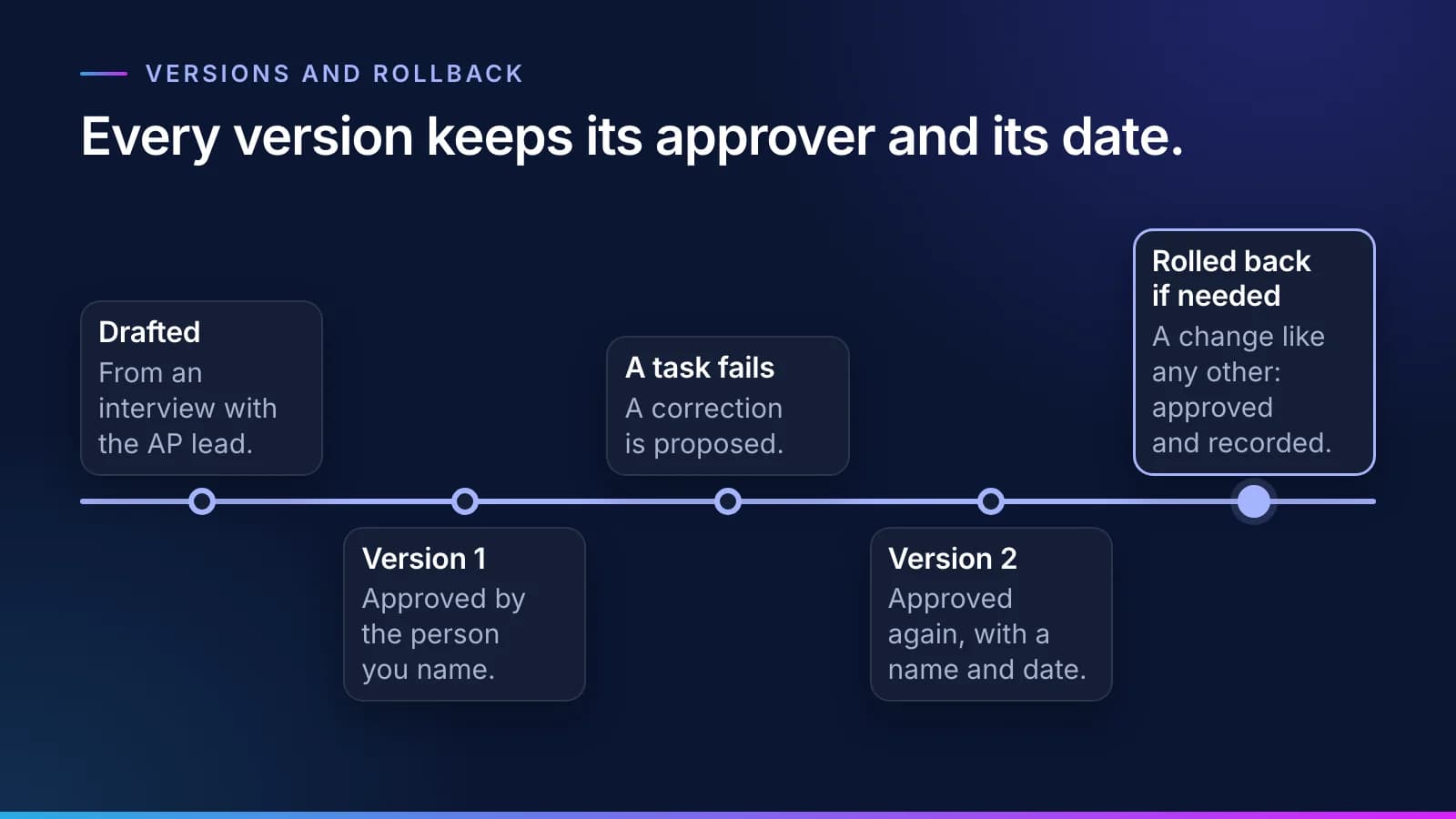
| Version | Version 2; version 1 is kept in the history |
Nothing in that table is technical. That's deliberate. The person who approves a rule should be able to read every word of it.
Underneath, the same rule is stored in open standards. The words it uses ("vendor", "bank details", "last payment") are concepts in a SKOS vocabulary. The rule itself is a SHACL shape, which a validator checks against each payment record over everything the OWL ontology lets the system infer. OWL infers; SHACL validates. The controller never has to read either; your auditors can.
Step 1: Our agents interview your people
#Our agents interview the people who do the work and read the records they work from. They draft rules one at a time, and each draft is tied to who said it and the document behind it. A draft is a candidate with a confidence score. Nothing an agent drafts is used until a person approves it.
Where the written policy and the practice disagree, the draft says so rather than picking a side. Whoever approves the rule decides which one the Virtual Employee follows. The interviews are run by Synesis, the knowledge layer, so nobody has to book a workshop to start.
Step 2: The right person approves or corrects each rule
#Every draft goes to the right person: whoever your organization makes responsible for that part of the rulebook, whether that's a department head, a governance body or compliance. They approve the draft or correct it. Approval is one rule at a time, so nothing waits for a workshop or for the one person who is on vacation. A correction is recorded with the draft, so the history shows what the agent first wrote and what the approver changed.
You decide who approves which kind of change, and Synesis lets you set an approver for each stage. Knowledge moves through five gated stages, from a controlled vocabulary to a knowledge graph:
- The words a rule uses sit in the department's controlled vocabulary. Their categories and related terms sit in its taxonomy and thesaurus. Many organizations have the department head approve all three. Northfield gives them to the AP lead.
- The rule itself is a constraint software can check, so it belongs to the company-wide ontology. It passes through the alignment gate, where a department's terms are mapped to the company's, and is often approved by a governance body or compliance. Northfield chose its controller.
- The knowledge graph holds the approved facts the Virtual Employee reads. It's published one version at a time, and a version publishes only when every SHACL shape validates and it passes its evaluation.
Three conditions hold for every approval. It covers the exact wording that was approved, so changing one word means approving it again. Nobody approves their own change. And agents propose and never approve.
Note
A rule can require more than one approver. For rules that touch regulated decisions, you can require two distinct approvers and choose who they are. Audit, legal and compliance review are approval steps inside the rulebook, not meetings held outside it. A rule doesn't take effect until every required approval is in.
How the five stages work, with the standard for each, is in our guide to ontology for AI agents.
Why the old way stalls, with workshops and absent experts, is the subject of why the knowledge build stalls.
Step 3: The approved rule becomes a hard gate
#Approved rules are hard gates: only work that fits them goes ahead. Each result is checked against your approved rules and its source records both before the work and after it. The model reads the documents and extracts the facts. The rule, applied as a check, decides. Anything the checks can't confirm goes to a person. A rule like this is a different kind of check from the safety filters around a model. Our piece on business rules or AI guardrails explains why regulated work needs both.
Every task's receipt lists the rules it ran under. When an auditor asks why a payment was held, the answer is a rule with an approver's name on it, not a guess about what a model was thinking. Our guide to reading a task record shows where that appears on the record.
Step 4: A correction becomes a new version
#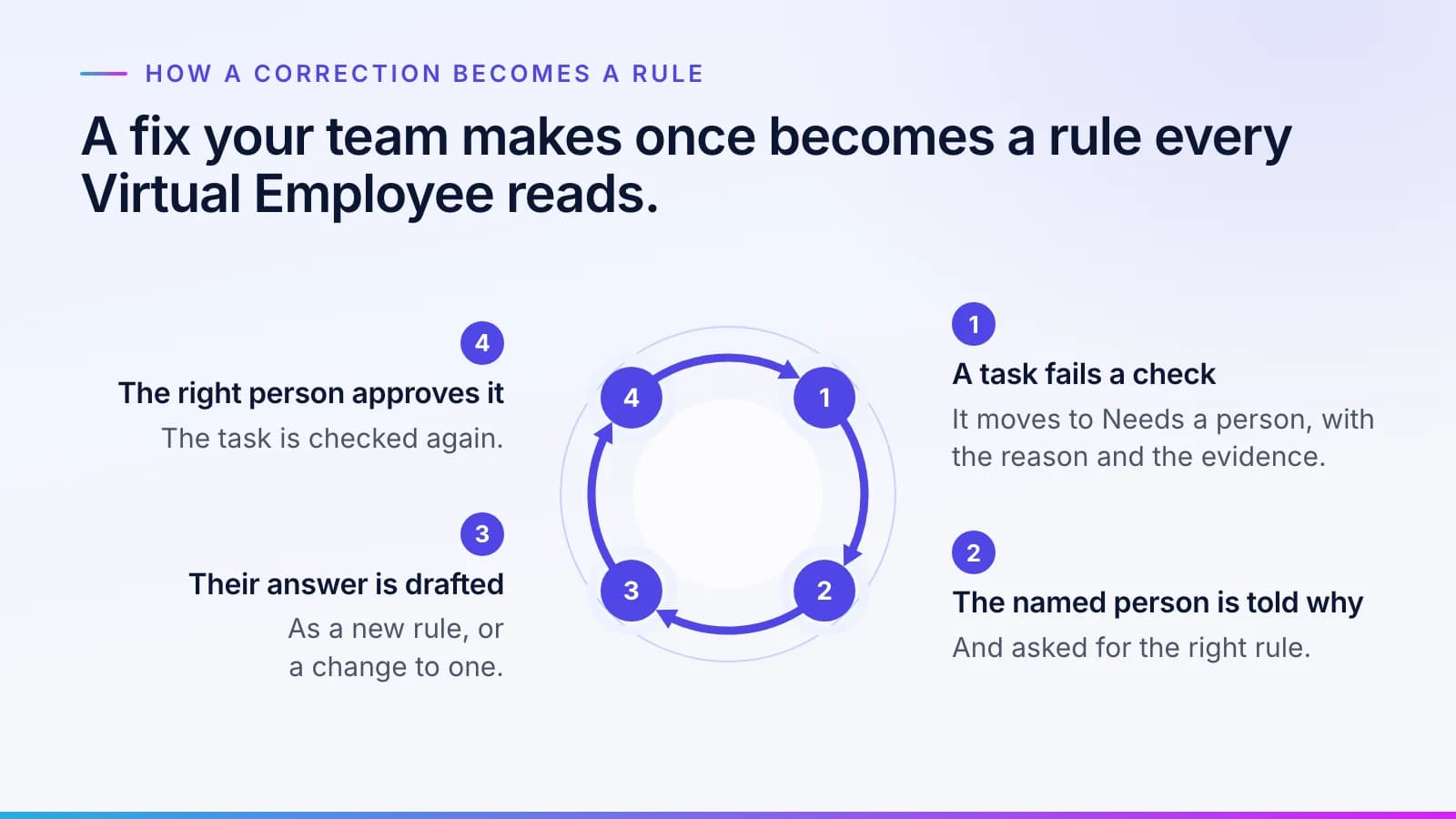
Rules are never finished, because the business keeps changing. The usual way a rule changes is that a task fails.
The loop runs like this:
- A task fails a check and moves to Needs a person. The reason and the rule it tried to apply go with it.
- The team member named in the rule gets a message saying the task failed and why, and asking for their input on the right rule.
- Their answer is drafted as a new rule or a change to an existing one, and the person responsible for that rule approves it. If the person who answered is that approver, someone else approves, because nobody approves their own change.
- The task goes back through Incoming and is checked again.
- Every Virtual Employee after that reads the updated rule.
The queues this loop runs through, from Incoming to Done, are covered in a mistake your team fixes once stays fixed.
Step 5: Every change is versioned and can be rolled back
#Each change to a rule makes a new version. The earlier versions stay in the history with their approvers and dates. Each version also keeps two dates: when it applies from, and when it was approved. So an auditor can ask both which rule should have applied on a given day and which one the Virtual Employee knew at the time. The rulebook and its history live in MNEMOS, the data engine that runs where you choose, and Phylax keeps the record of every approval.
Any change can be rolled back. A rollback is a change like any other: it has an approver, and it goes on the record. If version 2 of the bank-details rule turns out to hold too many payments, the AP lead can propose a return to version 1 while working out a better wording. The controller, Northfield's approver for this rule, approves the rollback, and the record shows both decisions.
The model doesn't retrain itself
#When a rule changes, the model does not, and each rule change has an approver. A rule is something the person who approves it can read and sign. A change to a model's weights isn't.
Nor does a rule change because a Virtual Employee remembered something. What it learns from past work is memory, kept apart from the approved rulebook. Only an approved change enters the rulebook.
That separation also makes the model a part you can replace. Moving a role to a newer model touches nothing in the rulebook or the record, as the model is a replaceable part explains.
Who owns the rulebook
#You do. The rulebook, and the knowledge built from your people and records, belongs to your company and exports in open formats: RDF, OWL, SKOS and SHACL. The rule format itself is public, in the open playbook on our scoreboard page, along with how a rule is versioned and how a correction becomes one. The content of your rules is never published. How the rules sit alongside identity and the record is on the trust page, and how Virtual Employees work from your rules is on the platform page. Every piece on approvals and oversight is collected under governance.
For more on how Virtual Employees learn, what they never do and who owns what, see our Virtual Employees questions and answers.
Questions
What people ask.
What are AI business rules?
AI business rules are your company's decisions written down so AI can follow them: one decision per rule, in plain words, tied to the person or record it came from and approved by the right person, whoever your organization makes responsible. At Inovagio, approved rules are hard gates. Work that doesn't fit them never goes ahead, and anything the checks can't confirm goes to a person.
How are AI governance rules approved?
The right person reads each draft and approves or corrects it, one rule at a time. That might be a department head, a governance body or compliance: you decide who approves each stage and each kind of rule, and a rule can require more than one approver, as many regulated decisions do. An approval holds only for the exact wording approved, nobody approves their own change, and agents never approve.
Does AI retrain itself when a rule changes?
No. The models stay the same; the rules change. Each change has an approver and can be rolled back. A correction your team makes becomes a new version of a rule once the right person approves it, and every Virtual Employee reads it on its next task. A rule is easier to review than a change to a model.
Can an AI rule change be rolled back?
Yes. Every change to a rule creates a new version, and earlier versions stay in the history with their approver and date. Rolling back is itself a change: it has an approver and it is recorded. The task record shows which rules each task ran under, so you can see what a change affected.
Who owns the rules an AI follows?
With Inovagio, your company owns its rulebook and the knowledge built from your people and records, and both export in open formats. The rule format is published in our open playbook so anyone can read how rules work. The content of your rules is never published or used for another customer.
The products, industries and examples it covers.
- Knowledge layerSynesisTurns your policies, procedures, records and your people’s know-how into a rulebook your experts approve, which you own and can take anywhere.
- Data engineMNEMOSRecords, documents, vectors, graph and agent memory in one engine, with a ledger behind every write.
- Governance and auditPhylaxSign-in, policy, secrets and one audit trail from the screen to the disk, so you can show any examiner what happened.
- Card appsOpsisAnswers arrive as card apps: approvals, documents, sheets, charts and forms.
- IndustryFinance operationsInvoices matched to orders and receipts and coded by your rules, and payments to changed bank details held until a callback is logged. Your team releases every payment.
- IndustryInsurance servicing and reconciliationEach program’s bordereau matched to your policy system, the MGA’s cash matched to what is due, and every line checked against the delegated authority. Your team approves every write-off.
- IndustryInsurance claimsEach claim file audited against your state’s standards, deadlines kept with letters drafted, and bills checked. Adjusters decide.
- IndustryHealthcare providersEach denial matched to the payer’s reason and the record, with an appeal drafted for a person to sign, and each remittance checked against the contract. Staff and clinicians decide.
- IndustryHealth plansEnrollment and premium files reconciled line by line, directory entries verified on schedule, and appeal case files tracked on their clocks. A physician decides every medical appeal.
- IndustryLegalEach party on a new matter searched with its parent companies and former names, ethical wall requests drafted for lateral hires, and contracts compared with your playbook. Lawyers decide.
- OverviewTrust and governanceEvery action checked, every step recorded.
- OverviewHow it worksTen checked steps from your first decision to the day it handles real cases.
Read next.
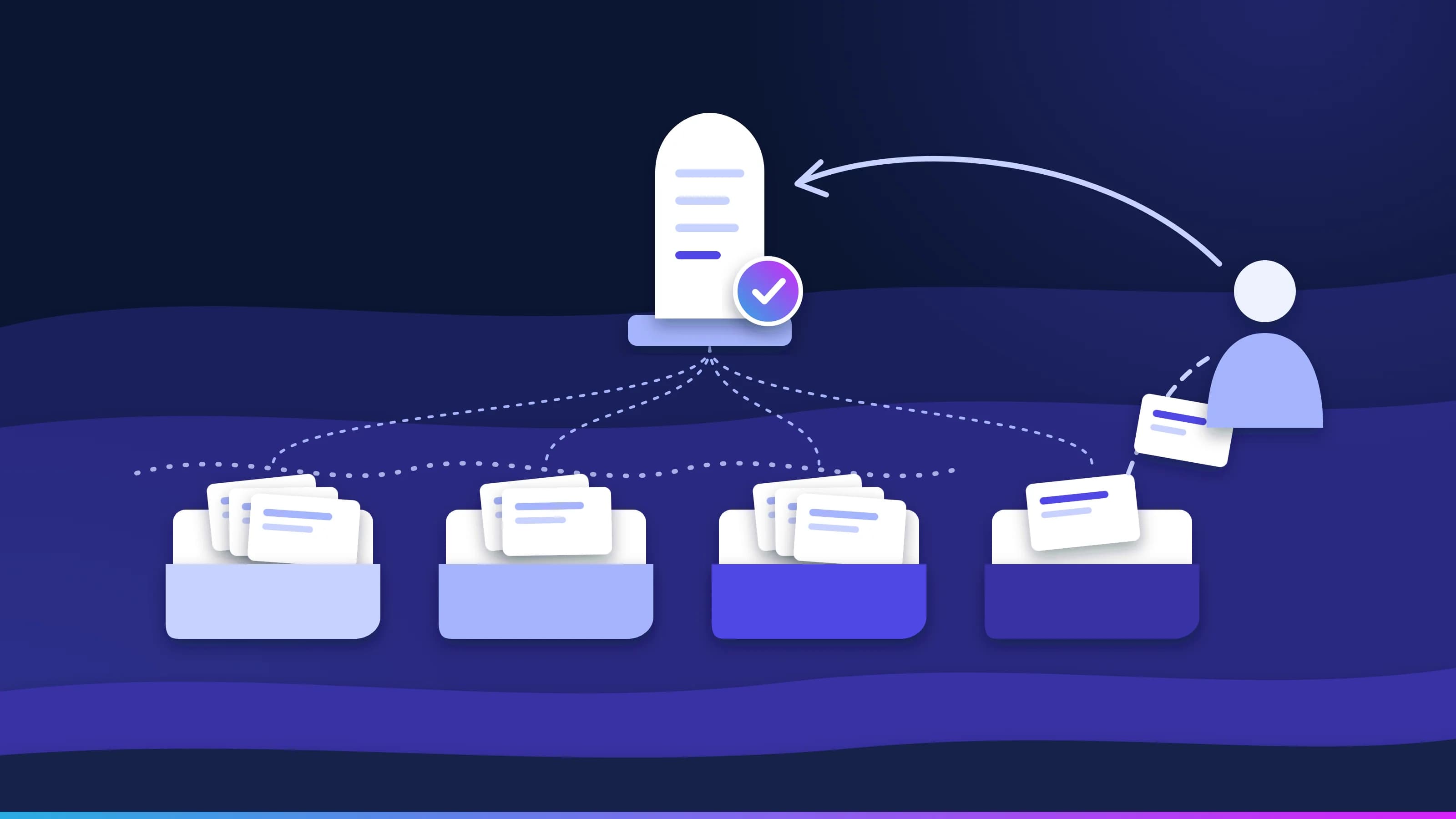 Article · Learning loopA mistake your team fixes once stays fixedGood AI exception handling doesn't stop at the flag. Every task moves through four queues, every failure reaches a named person with the reason attached, and that person's fix becomes an approved rule, so the same exception doesn't come back next week. · updated November 18, 2026 · 8 min read
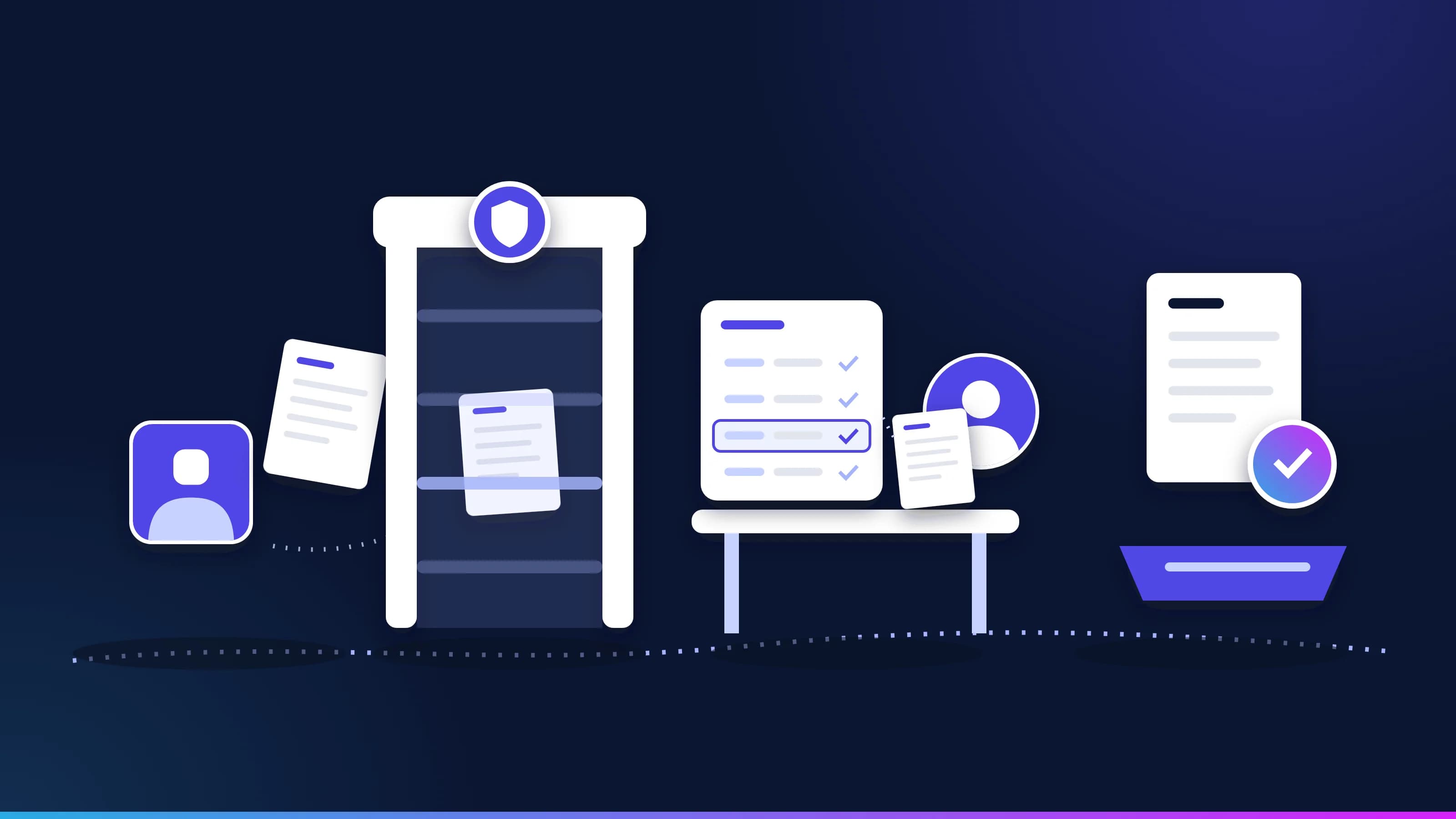 Article · GovernanceBusiness rules or AI guardrails? Why regulated work needs bothGuardrails filter what an AI model takes in and says. Business rules check what the work itself must satisfy. In regulated work you need both, plus a model's judgment for the messy parts. What each one catches, a worked example, and what to ask a vendor. · updated November 18, 2026 · 12 min read
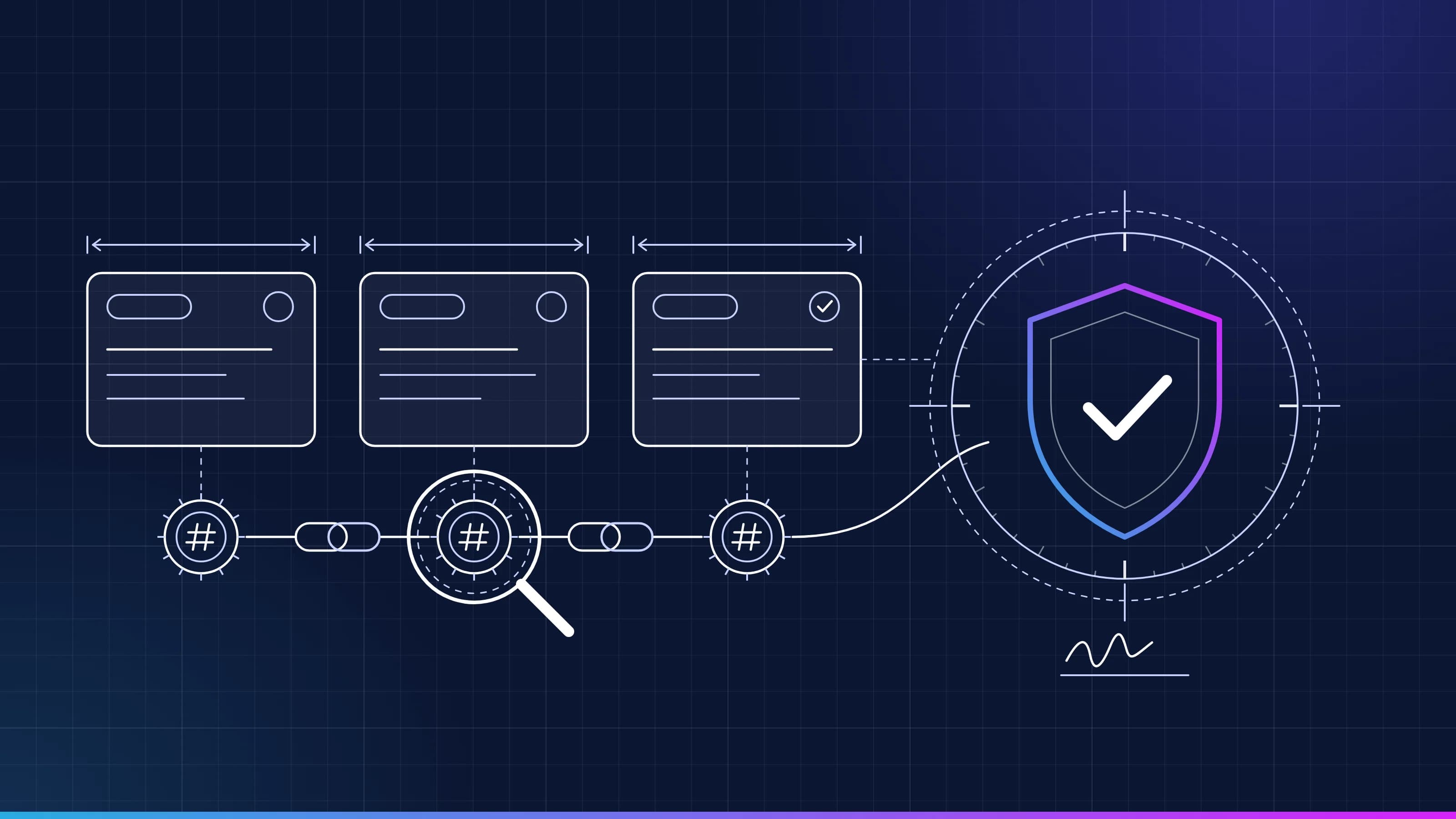 Guide · AI audit trailRead a task recordEvery task Inovagio runs leaves a tamper-evident record. Here is what each line means, how the seals chain together, and how to replay a task end to end. · updated November 18, 2026 · 5 min read
See it on your work
See how one of your tasks runs, start to finish.
A 30-minute walkthrough of one of your workflows, the approval step and the audit record, with the people who build the platform.