

Series · How we solve it
How to measure AI cost per correct task
A per-task price shows what the AI charged. To know what the work cost, you need the formula, the baseline to take first, and a worksheet your finance team can fill in with its own numbers.
Inovagio team · Published · Updated · 8 min read

On this page
To calculate AI cost per task, add the AI and compute, the platform's share, your people's review time and the rework, then divide by the tasks done correctly. That number is cost per correct task, and it is the one your finance team can check.
The bill from an AI vendor arrives early in the month. It counts calls or seats and prices each one to the fraction of a cent. Then your controller asks the question the bill can't answer: what did the work cost us?
Most quotes for AI cost per task count the model and stop there. They leave out the minutes your people spent checking the output. They leave out the tasks that came back wrong, and the rework someone found a week later. Cost per correct task counts all of it, then divides by the work done correctly.
Whether a vendor calls its product AI agents or AI employees, the arithmetic is the same. Ours are Virtual Employees, and this guide sets out the formula we report for every one of them, the order to measure it in, and a worksheet for your own numbers. If the idea is new, our Virtual Employees questions and answers cover the basics first.
How to calculate AI cost per task
#Here is the formula as it appears on our control and cost page. Some call the result cost per successful task; we call it cost per correct task, because a task counts only if it was right.
Cost per correct task =
  (AI and compute + the platform fee's share + review minutes × loaded hourly rate + rework)
  ÷ tasks done correctly
Each input comes from a record, and your finance team supplies its own rates.
- AI and compute. What the models and machines cost for the month's tasks. Every task records its model and what it cost, so this is a sum, not an estimate.
- The platform fee's share. The part of the platform fee you assign to this queue.
- Review minutes × loaded hourly rate. Every minute a person spent checking a result or deciding an exception, at your loaded rate. Loaded means salary plus benefits and overhead.
- Rework. The cost of fixing a task found wrong after it left the queue.
- Tasks done correctly. Tasks that passed their checks, were accepted where a review applies, and were not reworked later.
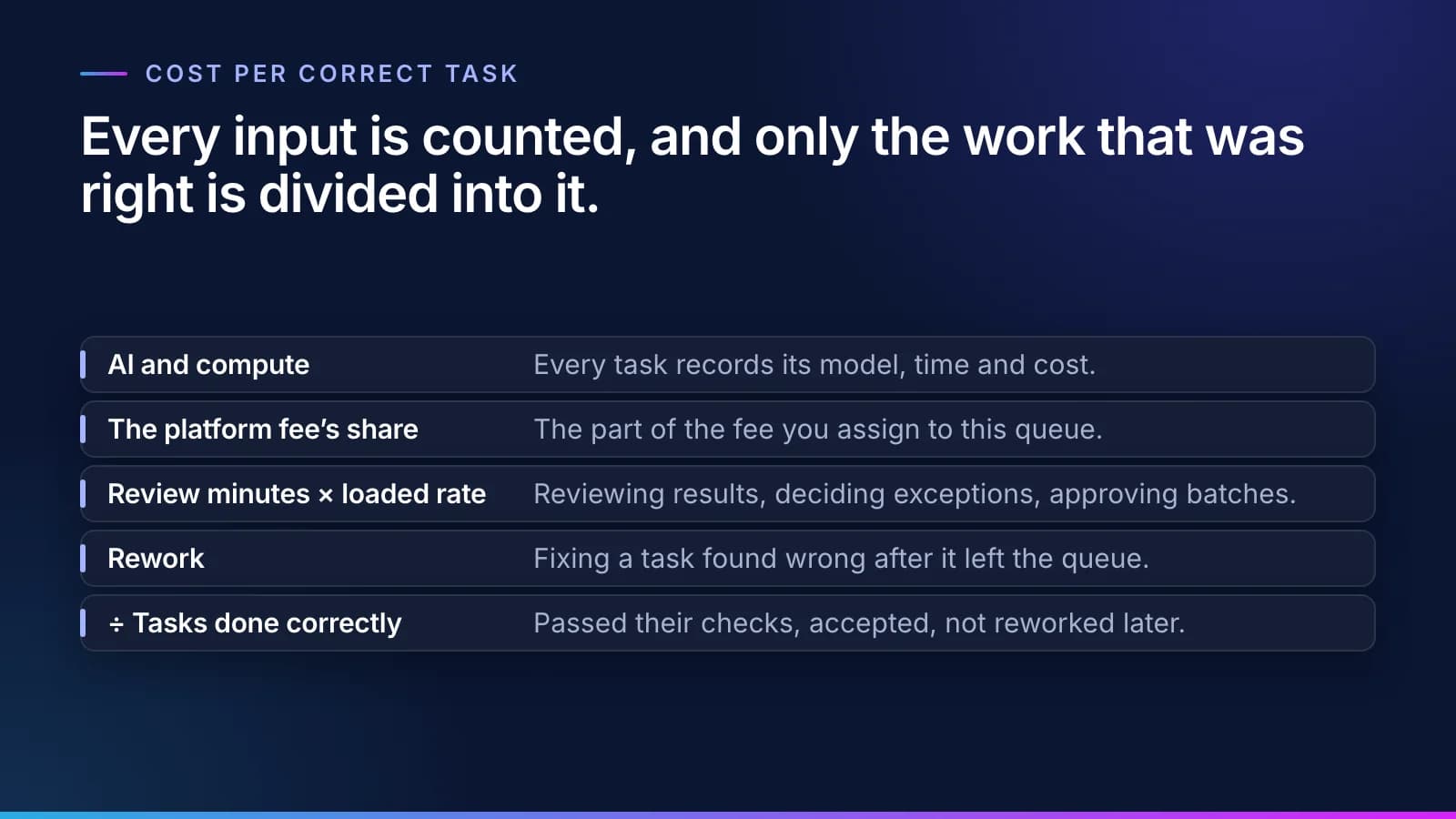
The formula is the easy part. The discipline is in the order you measure things, which is why the rest of this guide is a sequence.
Step 1: Take the baseline before anything changes
#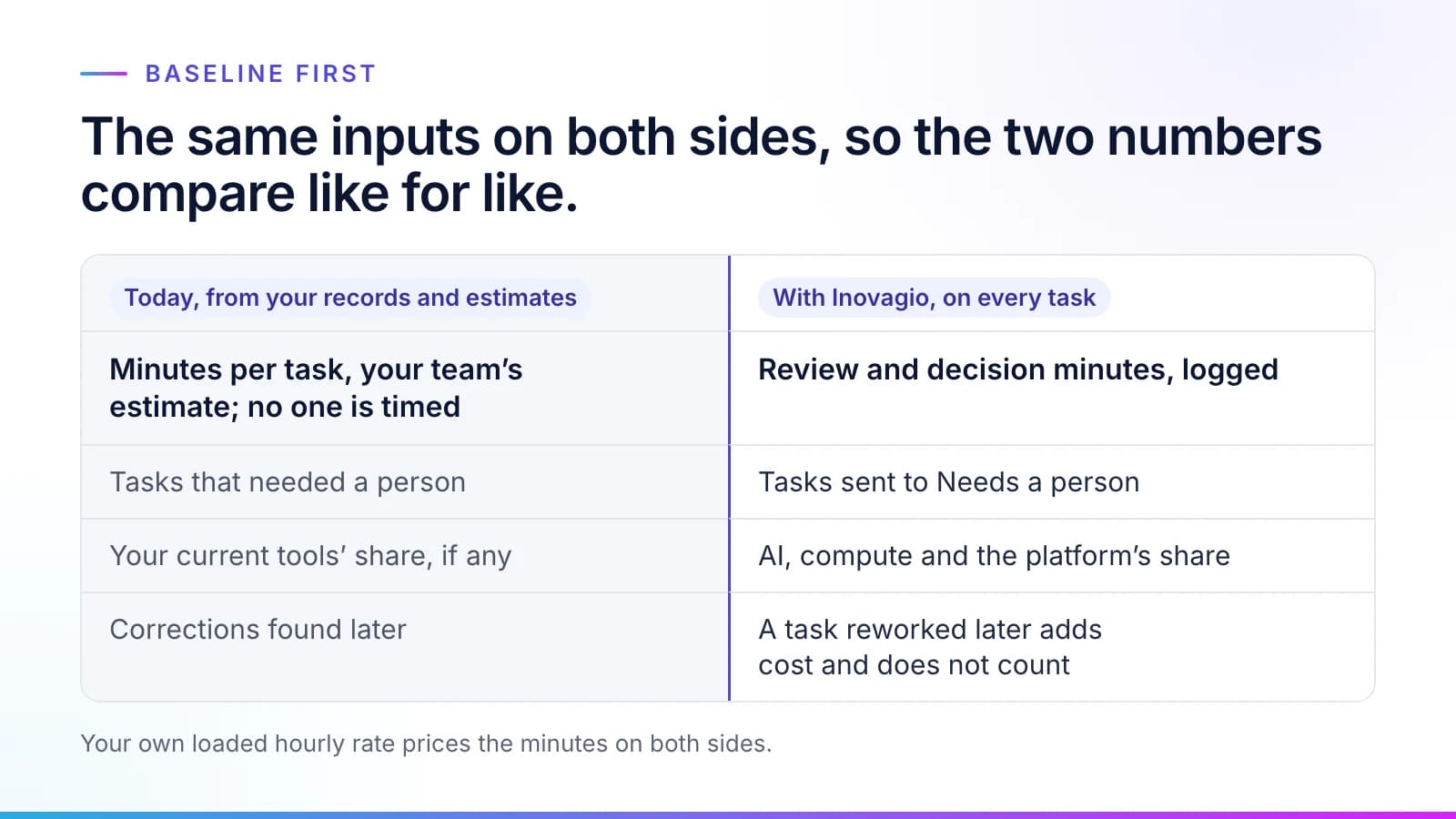
Cost today's process first, before anything is built: the minutes each kind of case takes, estimated by your team and checked against your records, your loaded hourly cost and your rework rate. No one is timed. Count how many cases needed a person to step in, and add the share of any tools you already pay for (T0 in the worksheet below).
Take it before anything is built for a practical reason. Once a new system is running, people start comparing it with a better version of the past than the one they had. A baseline written down in advance settles that argument before it starts.
Use the same formula for today as for the new process. Your team's minutes go into the review line, corrections found later go into rework, and only the tasks done correctly go underneath. Then the two numbers compare like for like.
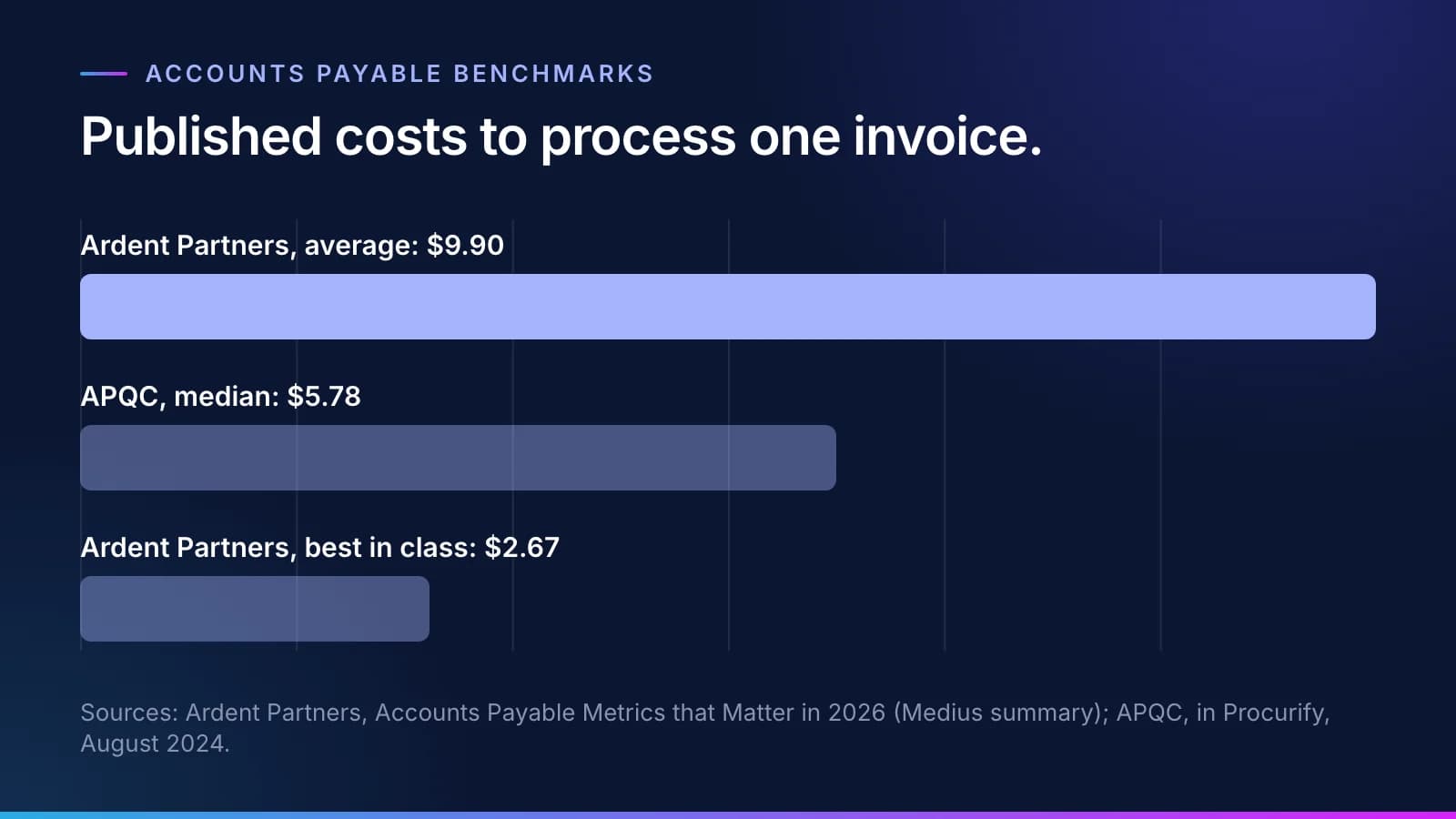
Published benchmarks tell you where your team sits, but they don't replace your own baseline. For accounts payable, Ardent Partners puts the average cost to process an invoice at $9.90 and best in class at $2.67 (Ardent Partners, Accounts Payable Metrics that Matter in 2026, summary by Medius). APQC's median is $5.78 per invoice (APQC accounts payable benchmarks, in Procurify's whitepaper).
Step 2: Count everything, including your own people
#The time your people spend reviewing and approving is counted in Inovagio's cost. Leaving it out is the quickest way to make an AI cost per task look better than it is. A tool that cuts keying time but doubles checking time has moved the work, and the review line is where that shows.
The same goes for the tasks that need a person. When a check fails or a rule is missing, the task goes to the Needs a person queue with the reason attached. The minutes your team spends deciding it are review minutes, and they belong in the number. How that queue turns each fix into a rule is in a mistake your team fixes once stays fixed.
Step 3: Count only the tasks that were right
#A task that is wrong, or reworked later, adds cost and doesn't count as done. No other input matters as much.
Take two systems that each run 1,000 tasks for the same total cost. One gets 990 right; the other gets 900 right and leaves 100 for someone to find and fix. Divide by tasks attempted and they cost the same. Divide by tasks done correctly and the second costs more per task before anyone adds the rework, which is the answer your controller would have given without the spreadsheet.
Step 4: Set the bar in the charter
#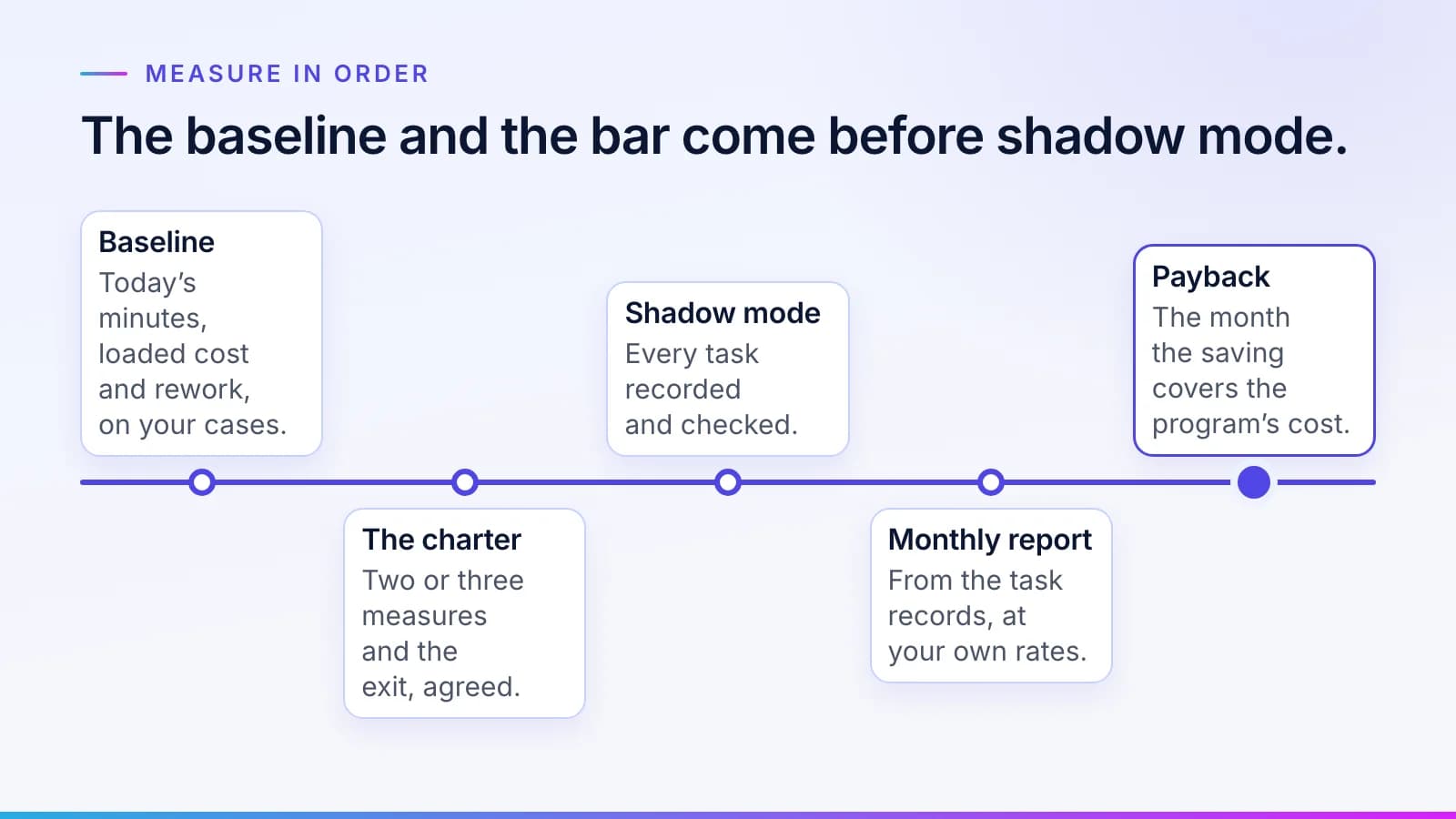
You pick the measures. Before anything is built, your sponsor puts two or three of them in the charter. Cost per correct task is usually one; error rate and cycle time are common choices for the others.
Write down the baseline, how each measure is counted and how often it is reported, and add the way to stop in case the numbers don't hold up. Choosing the queue comes first; our guide to picking your first queue covers that.
Step 5: Report monthly and work out payback
#The monthly report comes from the task records, with your own rates, so your finance team can check every figure. Payback follows from the same numbers. Once work is live and measured, today's cost per task, minus the measured cost per correct task, times your monthly volume, is the monthly saving, and payback is the month in which the saving covers the program's cost. Until your own work has measured it, there is no saving to claim: figures from the test and shadow mode are projections, shown as ranges.
A worksheet for your own numbers
#Accounts payable is a common first queue because it is easy to count, and our finance operations page shows that work. The worksheet fits any queue, though. Fill in the last column from your own records before anything is built, then again each month from the task records.
| Input | Where to get it | Your number |
|---|---|---|
| Tasks a month (V) | The queue's count for a typical month, from the system of record or the shared mailbox | |
| Minutes per task today (M) | Your team's estimate for each kind of case, checked against your records; no one is timed | |
| Loaded hourly rate (R) | Finance: salary, benefits and overhead for the people who work the queue | |
| Rework minutes today (W0) | Corrections found after a task left the queue, from your records, with the time each took, for a typical month | |
| Tools today (T0) | The monthly share of any software you already pay for to work this queue | |
| Tasks done correctly today (C0) | Tasks that were right the first time in a typical month, from your records | |
| Review and decision minutes once live (D) | The task records: every minute a person spent reviewing a result, deciding an exception or approving a batch | |
| Rework minutes once live (W1) | Tasks found wrong after they left the queue, with the time each took to fix | |
| AI, compute and the platform's share (A) | The task records for AI and compute, plus the share of the platform fee you assign to this queue | |
| Tasks done correctly once live (C1) | Tasks that passed their checks, were accepted where a review applies, and were not reworked later |
Then work the formula on both sides, with the same rate for people's time:
Today:  ((V × M + W0) × R ÷ 60 + T0) ÷ C0
Live:   (A + (D + W1) × R ÷ 60) ÷ C1

The new process beats today only while
  A < (today's cost per correct task × C1) − (D + W1) × R ÷ 60
Note
Every rate in the worksheet is your own. Leave a cell blank until your records or your team's agreed estimate fill it; a guess written in early tends to stick.
The last line is the one to settle before anything is built. It tells everyone in advance what the AI side may cost for the new process to beat today, which makes it the most useful figure a charter can hold.
Watch the review minutes most closely. They are the input most often guessed rather than measured, and they move the threshold directly: if deciding an exception takes twice as long as you estimated, the decision minutes in D double and the room left for A shrinks with them.
Where the number lives
#Every task leaves a receipt: who did it, the model, the cost, the time, the rules it ran under and the outcome. Panoptes keeps the cost of each task in its cost ledger. The control and cost screen shows cost per correct task trending against your baseline. Spending limits, set in Archon, stop work when they are reached. The scoreboard defines every measure the same way for every customer. More on measuring AI work is collected under quality.
When a better model arrives, the same number shows whether it helped. Compare cost per correct task and first-pass success on the same rules, before the switch and after it. Why that matters is in the model is a replaceable part.
Questions
What people ask.
What is AI cost per task?
AI cost per task is what one unit of work costs when AI does it. A useful version counts the models and compute, the platform's share, the time people spend reviewing and approving, and the rework found later, then divides by the tasks done correctly. Counting only the model's charge makes AI look cheaper than the work really is.
How is cost per correct task calculated?
Add AI and compute, the platform fee's share, review minutes multiplied by your loaded hourly rate, and the cost of rework. Divide the total by the number of tasks done correctly in the same period. Cost today's process the same way first, so the new process and the baseline compare like for like.
Why should review time count in the cost of AI?
Because your people's time is a real cost, and AI that shifts work from keying to checking has not removed it. Inovagio counts every minute spent reviewing results, deciding exceptions and approving batches in its own cost per task. Leaving that time out is the easiest way to flatter an AI cost figure.
How do I measure a baseline before an AI project?
Cost today's work from your records and your team's own estimates of the time each kind of case takes, before anything is built; no one is timed. Record the minutes per task, your loaded hourly cost, how often work is reworked later and how many tasks need a person to step in. Apply the same formula you will use once the work is live, so the two numbers compare directly.
Where do the numbers for cost per correct task come from?
They come from two places. Today's baseline comes from your own records and your team's estimates, your loaded hourly rate from finance, and the rework you find. Live numbers come from the task records, where every task logs its model, time and cost and every minute people spent reviewing it, valued at your own rates.
The products, industries and examples it covers.
- Observability and analyticsPanoptesSee every log, trace, cost and decision across the platform.
- Agent control planeArchonSee every agent at work, and stop or start any of them.
- IndustryFinance operationsInvoices matched to orders and receipts and coded by your rules, and payments to changed bank details held until a callback is logged. Your team releases every payment.
- OverviewControl and costStop it any time, set limits, and see what every task costs.
- OverviewPricingOne platform fee per site. No per-user charge.
- OverviewHow it worksTen checked steps from your first decision to the day it handles real cases.
- OverviewScoreboardThe measures every customer sees, and how each is counted.
Read next.
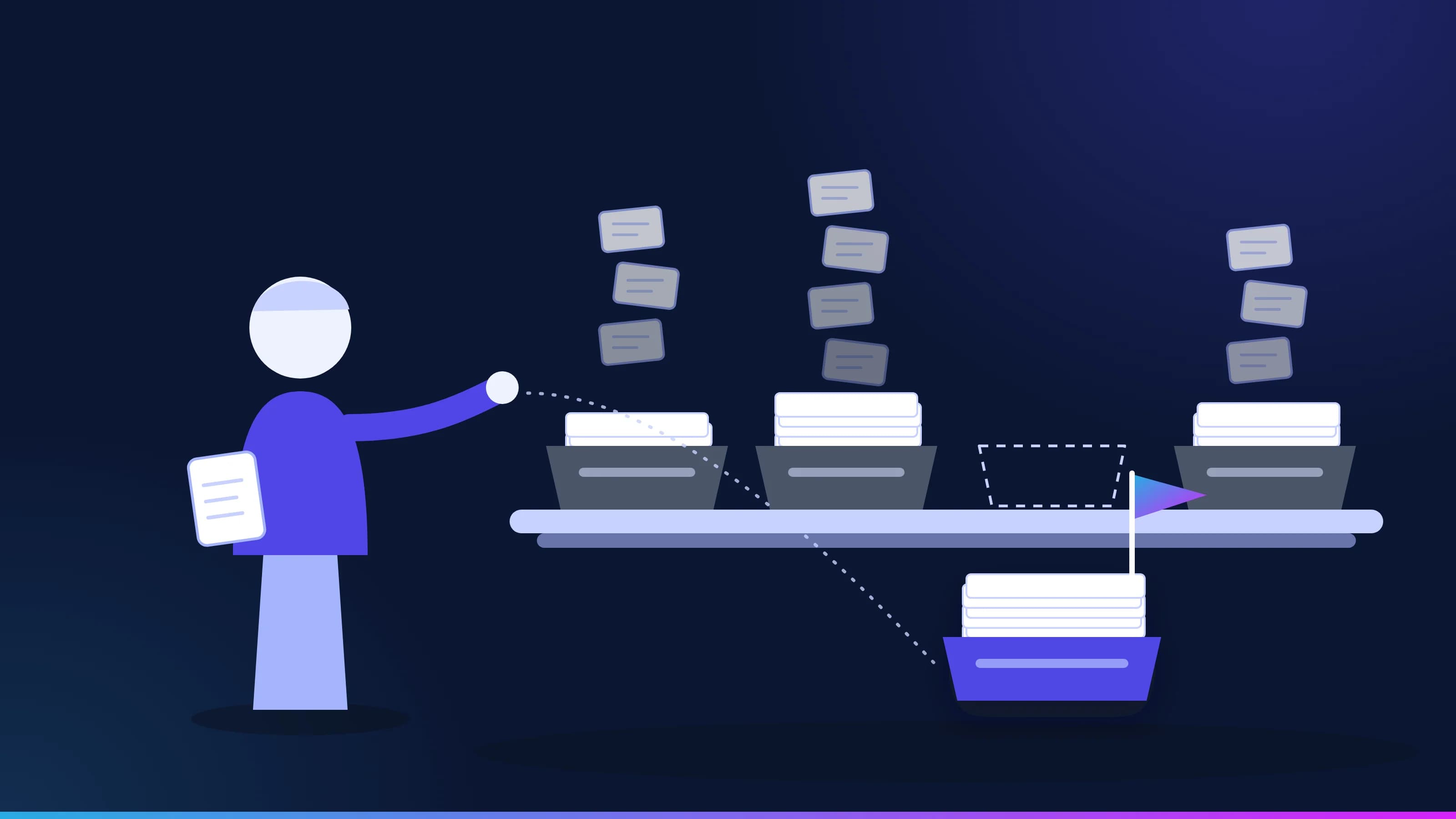 Guide · ApproachYour first AI use case: pick one queueThe best first AI use case is a queue, not an idea from the offsite. How to spot one, the triggers that make it urgent, the cases that are not a fit, and the charter to sign before any work starts. · updated November 18, 2026 · 7 min read
 Article · ModelsThe model is a replaceable partThe best AI model this quarter won't be the best next quarter. When you can switch AI models without touching your rules, approvals or audit record, every better model shows up on the scoreboard in your cost per correct task. · updated November 20, 2026 · 7 min read
 Article · ApproachFaster AI makes owning it more valuableIf AI models keep improving this fast, why own any of it? Because a better model still doesn't know your business, and every layer you own gains value with each new model. · updated November 20, 2026 · 3 min read
See it on your work
See how one of your tasks runs, start to finish.
A 30-minute walkthrough of one of your workflows, the approval step and the audit record, with the people who build the platform.