

Series · How we solve it
How to onboard an AI employee, the way you hire a person
A department hires a Virtual Employee using the same steps it uses for a person (interview, approval, account, a test and shadow mode, then the work). This is how to onboard AI employees so they earn the routine queue on evidence.
Inovagio team · Published · Updated · 8 min read
On this page
To onboard AI employees, use the steps you already trust for hiring people: an interview, approved rules, a limited account, a test and shadow mode, then the work.
When the vendor payments team at a regional hospital network hires an analyst, nobody hands the new person a login on day one and walks away. Someone explains how the work is done here. A senior analyst checks the first week of work line by line. Access is granted for the systems the job needs and no others. After a month or two the manager trusts the routine invoices, and still checks the odd ones.
Hiring a Virtual Employee works the same way. There are five steps, in order.
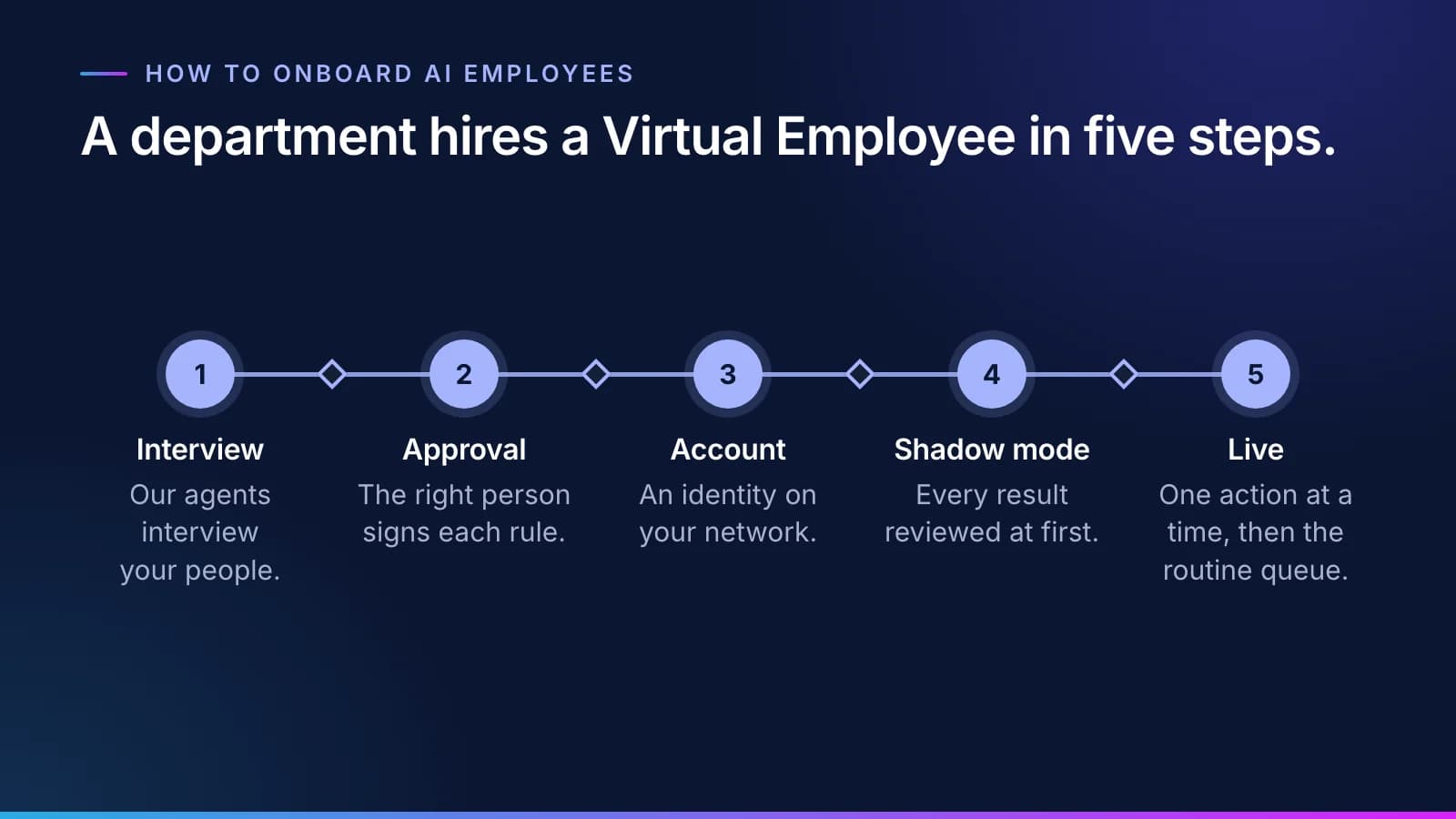
Onboarding AI employees starts with an interview
#A new analyst learns the job by asking questions. A Virtual Employee learns it the same way, except that our agents do the asking. They interview the people who do the work and read the records the team works from: past files, procedures, the notes in the margins of old cases.
From those interviews the agents draft rules, one at a time. Each rule says what to do in a situation the team actually meets, and each is tied to who said it and the record it came from. A rule might say which documents a new supplier needs on file before its first invoice can be paid, or how small a gap between an invoice and its purchase order can be and still clear without a second look.
There is no workshop to wait for. Agents interview people one at a time, around their calendars, so a team doesn't have to give up a week to a room full of sticky notes. Why the knowledge build stalls explains why that matters more than it sounds.
The right person approves every rule
#A draft rule isn't a rule until the right person approves it. That might be the department head who owns the work, a governance body or compliance; you decide who approves which kind of rule. The approver either approves it or corrects it, and can send it back with a question. Audit and compliance reviews are approval steps inside the rulebook, not meetings held outside it. A rule can require more than one approver; only that rule waits for them. Nobody approves their own change, and the agents that draft rules never approve one.
Rules are approved one at a time. If the analyst who knows the supply rebates is out for two weeks, only the rebate rules wait for her.
Once approved, a rule is applied as a check on every result. The model doesn't get to decide whether to follow it, which is the difference business rules and AI guardrails walks through. The approved rulebook belongs to you. It holds your rules and how your business really works, each one signed by the person who knows it, and it exports in open formats. The guide to how a rule is approved shows what a rule contains and how its versions are kept.
Its own account on your network
#A Virtual Employee that works on your network gets an account in your own directory, the same directory your people sign in through. It is a real identity with its own roles, never a shared login. It has the least access the job needs, and its credentials are short-lived: issued for each step, held by the gateway rather than the worker, and revoked when the step ends.
Every call it makes to one of your systems goes through a gateway that allows only the destinations that worker needs and logs each request. Disable the account and the work stops. The kill switch in Archon goes further: it works for one Virtual Employee, for a department or for everything at once. Your security team will find the details on the trust page.
Note
Some Virtual Employees don't need an account on your network at all. They work from a queue through approved connectors. You forward the work to their mailbox or folder, and the results come back for review.
The accounts themselves come from Inovagio Auth, federated to your directory.
Retiring its access
#Offboarding works the way it does for a leaver. When a queue ends or the role changes, disable the account in your directory and the work stops. Its credentials only ever lived for one step, so there are no long-lived passwords to hunt down, and its receipts stay on the record. For the controls in more depth, read how to give AI a login safely.
It is tested, then works beside your team
#Before it touches live work, it is tested against a pass mark your sponsor set, on your own past cases, locked away before anyone built it. Your experts sign off, and then it works live cases in shadow mode while your team still decides. As with a new hire, trust is earned on the work, not assumed from the résumé.
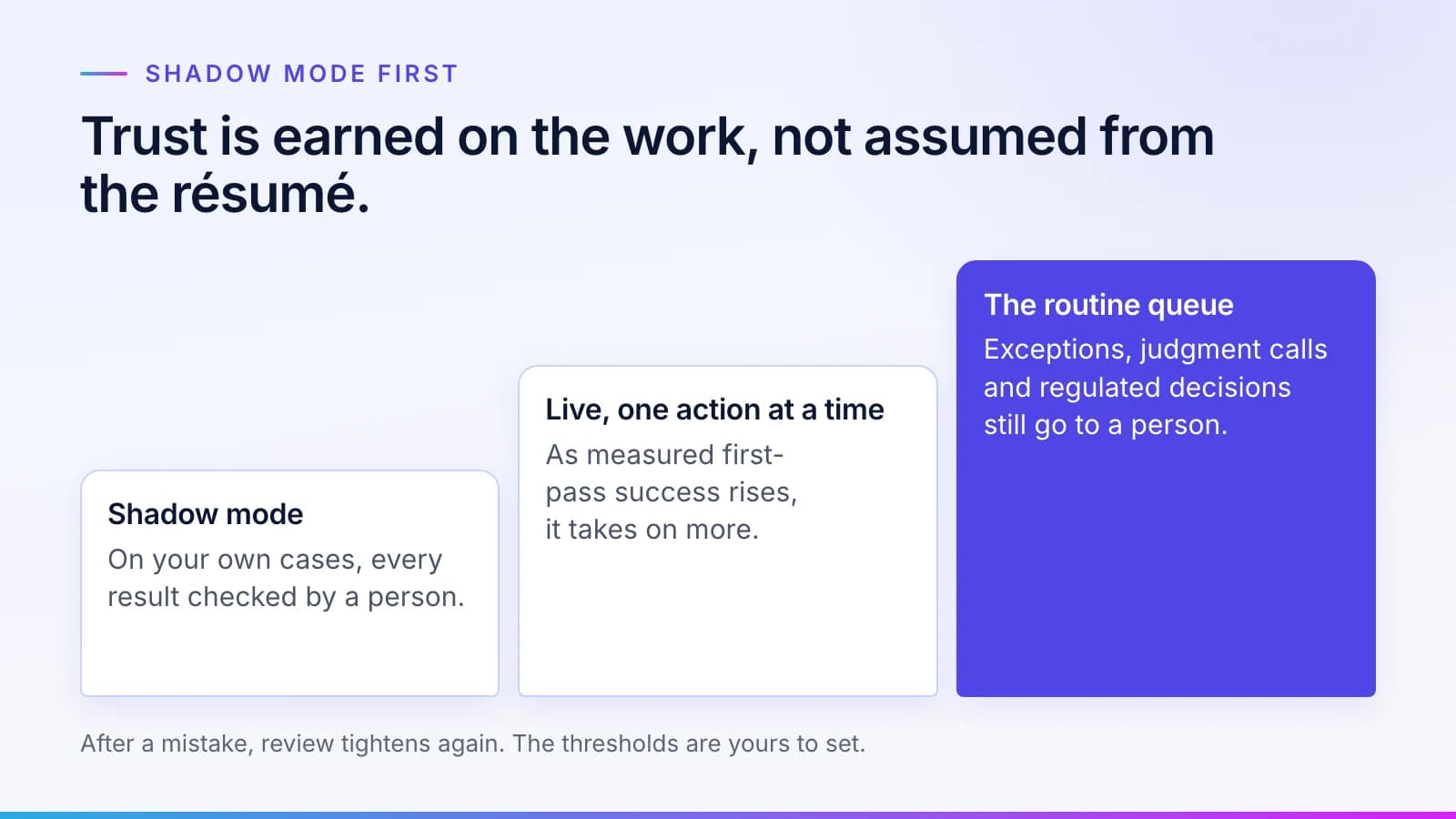
Each kind of case goes live only when its results in shadow mode clear the go-live bar your sponsor set; the rest stay with your people. Live work starts with spot checks your rules set, and write access is granted one action at a time. How a Virtual Employee moves from shadow mode to live work is published on the scoreboard, beside the measures we report.
The test and shadow mode are also when the rulebook grows fastest. A task the worker can't finish usually points to a rule the business hasn't written down yet. It moves to a queue called Needs a person, along with the reason it stopped and the rule it tried to apply. The person's answer is drafted as a new or changed rule, the rule's owner approves it, and the task goes back through the queue to be checked again. A mistake your team fixes once stays fixed follows one task through that loop.
Then the routine queue is its job
#Once a kind of case is live, its routine queue goes to the Virtual Employee. Exceptions and judgment calls go to a person with the reason attached, and so does every regulated decision. Where your rules require it, a person approves the batch.
Every task leaves a receipt: what the worker did and what it touched, the rules it ran under, and what it cost. Add up the receipts and divide by the tasks done correctly: that is cost per correct task, set against what the same task costs you today. That number tells a department head whether the hire is working, in the same terms they'd use for anyone else on the team, and it's a figure your finance team can check line by line.
A person and a Virtual Employee, step by step
#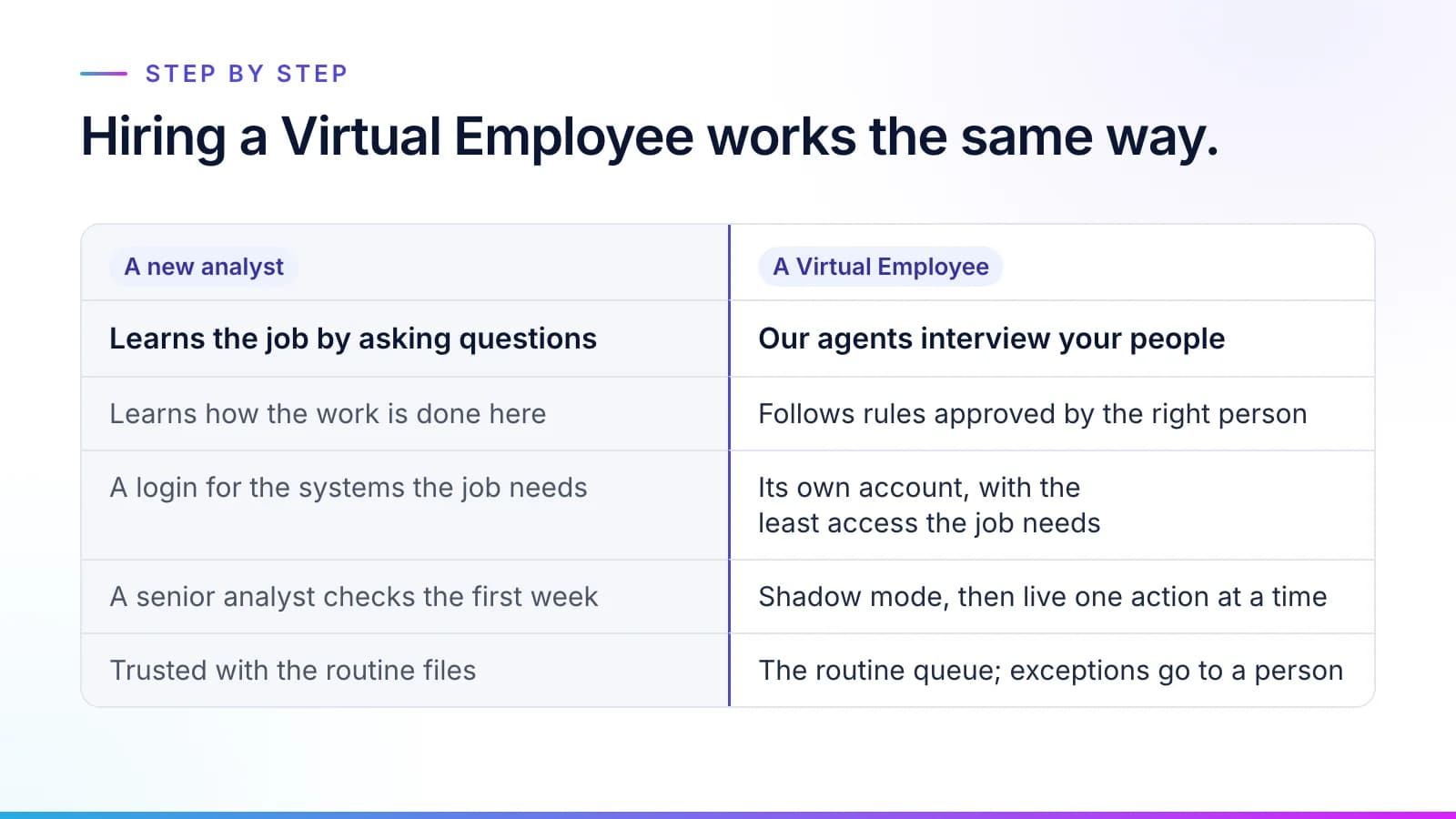
Set the two hires next to each other and the steps line up one for one. The difference is on the Virtual Employee's side, where each step leaves something you can read later: the interview notes, the approver of each rule, what the account may reach and how every result in the test and in shadow mode was judged.
Your team's part is the part only they can do. The people who know the work answer the agents' questions and check the draft rules, and the approvers you name sign them. Then your people decide the cases in shadow mode while its drafts are compared with theirs. Their names are on the rulebook, and the Virtual Employee works for them. Nobody is asked to train their replacement; they are asked to check a rule. The first thing the hire produces is the documented rulebook, which makes the expert more valuable, not less.
To see the roles a department can hire for, from accounts payable to conflicts checks and permit review, browse the Virtual Employee catalog. How it works covers the plan that gets every team to yes before the first interview, and a worker, not a conversation explains what you are hiring. For quick answers, see Virtual Employees: questions and answers.
Questions
What people ask.
How do you onboard AI employees?
You onboard AI employees using the same steps you use for a person: an interview, approval of the rules, an account, a test and shadow mode, and then the work. At Inovagio, our agents interview your people and draft rules, the right person approves each one, the Virtual Employee gets a limited account, and it is tested on your past cases and run beside your team before each kind of case goes live.
What is shadow mode for a Virtual Employee?
Shadow mode is the stretch before live work, when a Virtual Employee works real cases but its drafts stay hidden until your person has decided, so your team works as usual. Its results are compared with your team's, and each kind of case goes live only when it clears the bar your sponsor set. The method is published on the scoreboard.
Does a Virtual Employee get its own login?
Yes, a Virtual Employee that works on your network gets its own account in your directory, never a shared login. It has the least access its job needs and short-lived credentials for each step. Disabling the account stops the worker. Virtual Employees that work from a queue through approved connectors don't need an account on your network at all.
Who approves the rules a Virtual Employee follows?
The right person on your team approves or corrects every rule: a department head, a governance body or compliance, whoever your organization makes responsible for that kind of rule. Where audit, legal or compliance needs to see a rule, that review is an approval step on the rule itself, so each reviewer signs only the rules that need them. A rule can require more than one approver, and the agents that draft rules never approve them. Each rule is tied to who said it and the record it came from, and every change after that has an approver and can be rolled back.
Do we need workshops to onboard AI employees?
No. Our agents interview your people one at a time, around their calendars, and read the records the team works from. They draft rules one at a time, and the person you've made responsible approves or corrects each one. Nobody gives up a week to a workshop, and an absent expert holds up only the rules in their own corner of the work.
The products, industries and examples it covers.
- Knowledge layerSynesisTurns your policies, procedures, records and your people’s know-how into a rulebook your experts approve, which you own and can take anywhere.
- Role workersVirtual EmployeesVirtual Employees that plan, act and ask before anything leaves the building. Every plan is checked before it runs.
- Identity and sign-inAuthOne sign-in for every person, service and AI agent.
- IndustryHealthcare providersEach denial matched to the payer’s reason and the record, with an appeal drafted for a person to sign, and each remittance checked against the contract. Staff and clinicians decide.
- IndustryFinance operationsInvoices matched to orders and receipts and coded by your rules, and payments to changed bank details held until a callback is logged. Your team releases every payment.
- OverviewHire a Virtual EmployeeThe roles, what each knows, and what always goes to a person.
- OverviewHow it worksTen checked steps from your first decision to the day it handles real cases.
- OverviewTrust and governanceEvery action checked, every step recorded.
Read next.
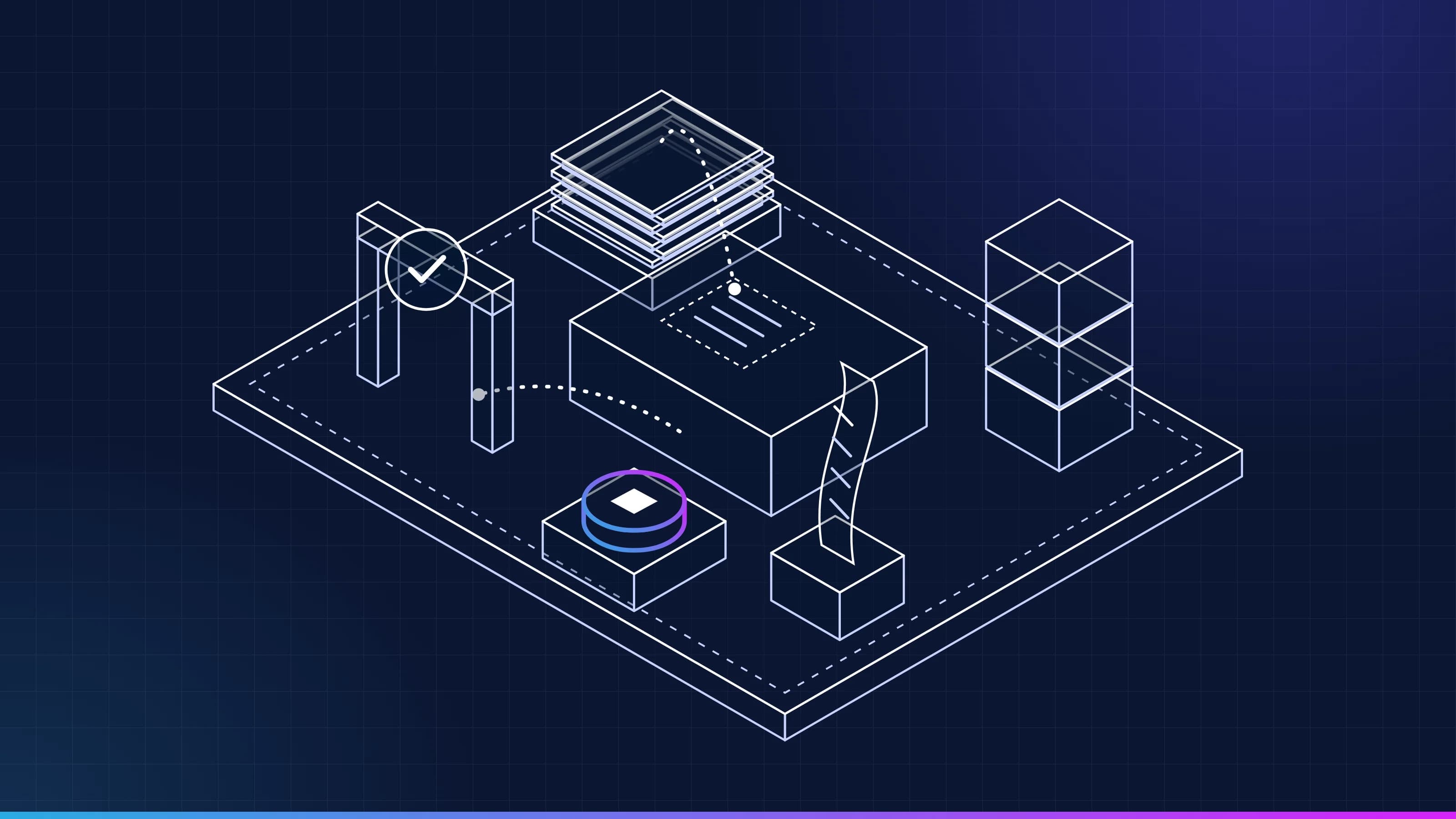 Article · ApproachA worker, not a conversationWhat is a Virtual Employee? It has a queue, a memory, a receipt for every task, the approvals and spot checks a rule sets, and a stop button. Here is what each one means, and what a Virtual Employee is not. · updated November 18, 2026 · 7 min read
 Article · KnowledgeWhy the knowledge build stallsWriting down how a team really works is where most AI implementation time goes, and almost none of it is spent writing. Four stalls account for most of the delay, and the method is built around each one. · updated November 18, 2026 · 7 min read
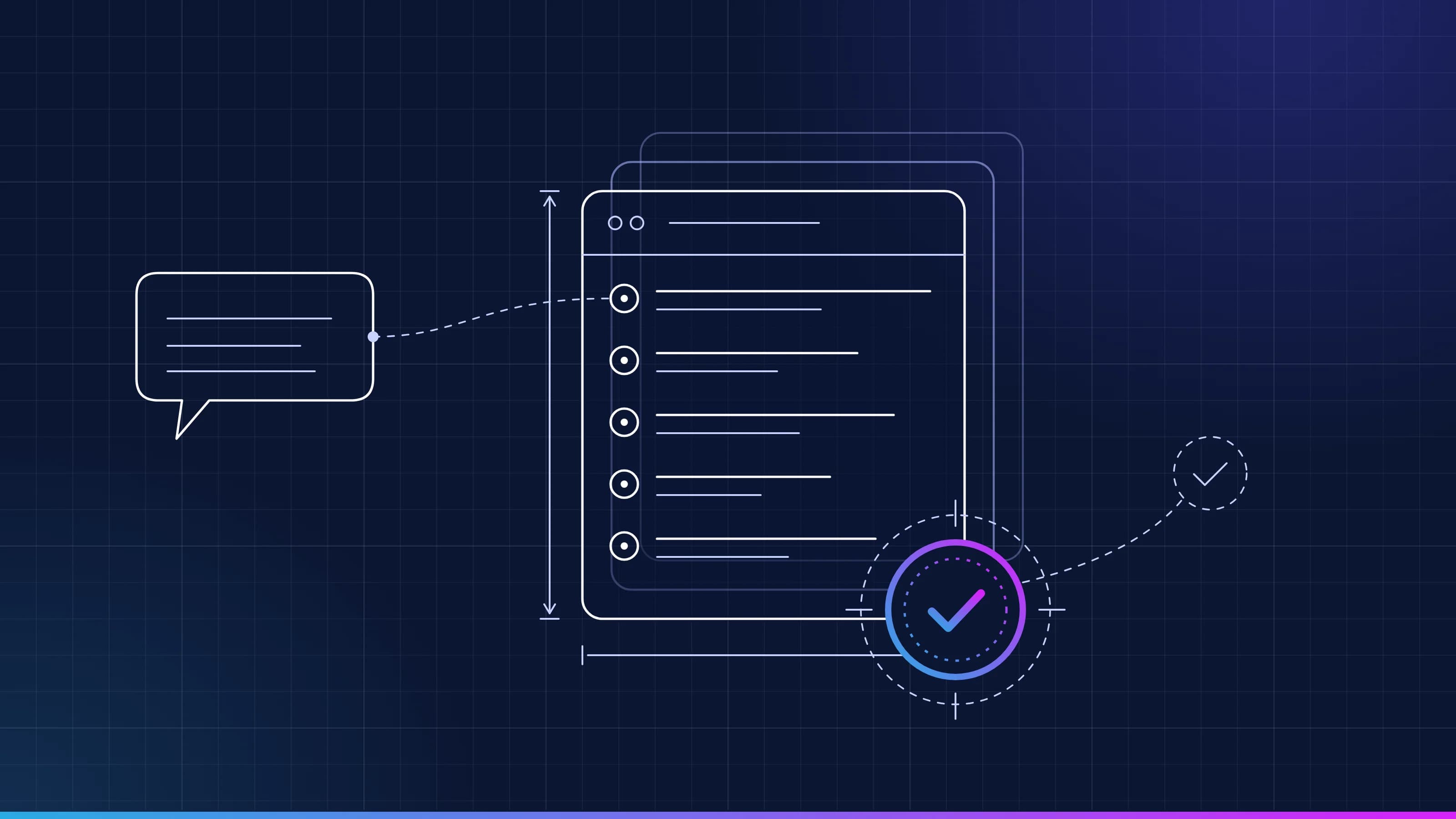 Guide · GovernanceHow an AI business rule is written and approvedEvery Virtual Employee works from rules approved one at a time by the people you make responsible. What a rule contains, who signs it, how a correction becomes a new version, and how any change is rolled back. · updated November 18, 2026 · 9 min read
See it on your work
See how one of your tasks runs, start to finish.
A 30-minute walkthrough of one of your workflows, the approval step and the audit record, with the people who build the platform.