

Agent HarnessAgent runtime
One agent loop for the terminal, the desktop, the browser and your own apps.
The engine behind every Inovagio agent: it plans, uses tools, asks for approval and checks the result, wherever people work.
We’ll spend 30 minutes with you on one of your workflows, and you don’t need to share any data.
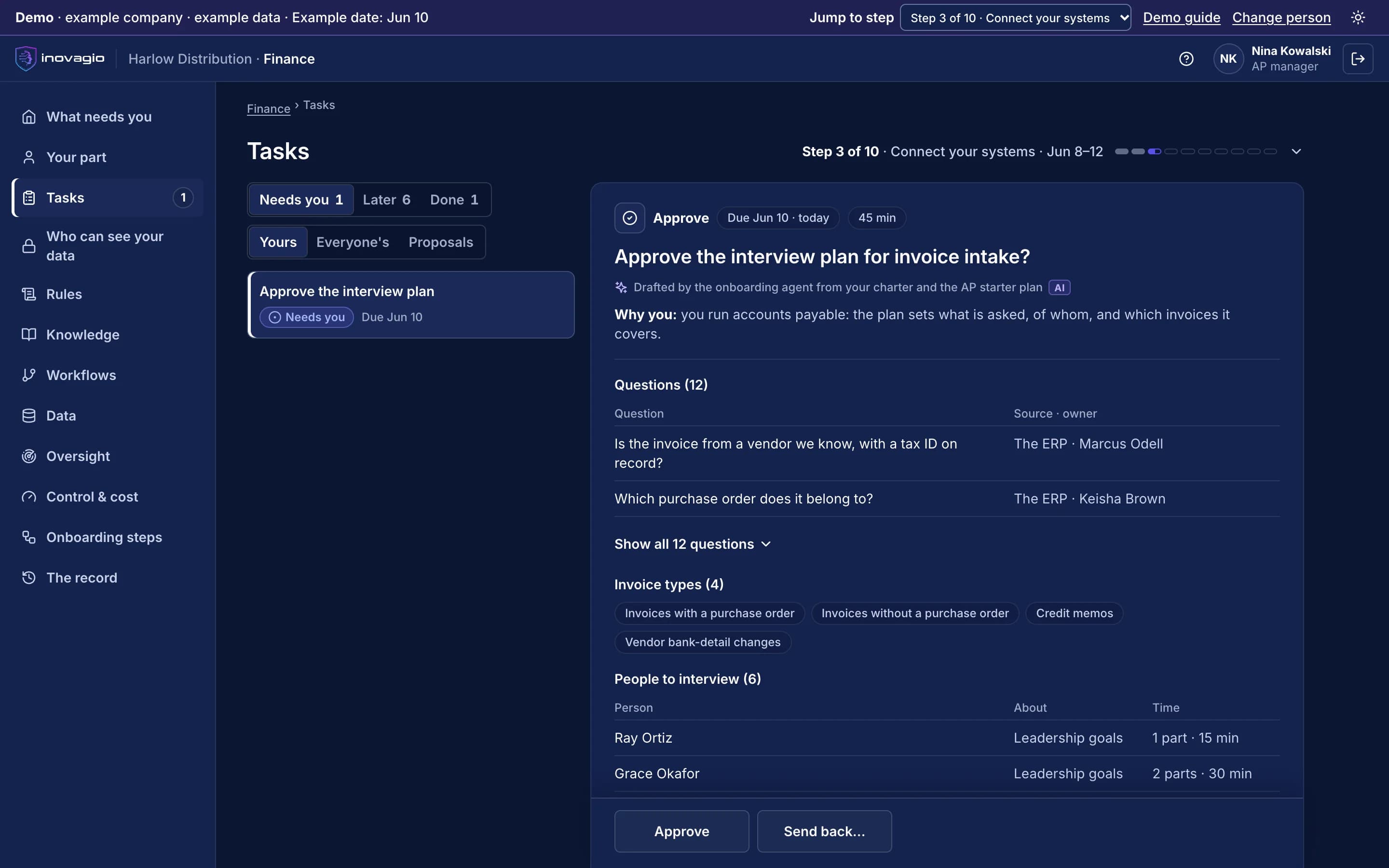
Where Agent Harness works
One work loop with approvals and tool permissions (Agent Harness). These are the onboarding steps it works in, from your first decision to live work, and after go-live.
What Agent Harness does
Agent Harness is the runtime around Inovagio’s models that plans the work, breaks it into tasks, calls tools, keeps context and memory, asks for approval and checks the result, and that every Inovagio face and your own apps share.
Plans, then acts
Every goal gets a plan you can review and a task list the agent works through.
Breaks work into tasks
Large goals fan out to specialist sub-agents, each in its own isolated workspace, and their results merge.
Goals that run to done
A goal finishes only when an independent check passes or its budget runs out.
Tools, with a safety floor
Built-in tools, MCP servers and plugins, with dangerous actions blocked in every mode.
Any model, per task
Small models on your own hardware for routine steps, a frontier model when you choose, through one interface.
Context and memory
Hybrid retrieval over your files and records in MNEMOS, with memory that lasts across sessions.
Approvals in the loop
Suspend on a gated action, ask a person, then resume where it stopped.
Cards on desktop, web and phone
Answers arrive as Opsis cards on desktop, web and phone: approvals, documents, sheets and charts.
Same agent everywhere
The CLI, the Desktop app, web chat and your own apps run the same agents through one runtime and one admin.
Agent Harness at work
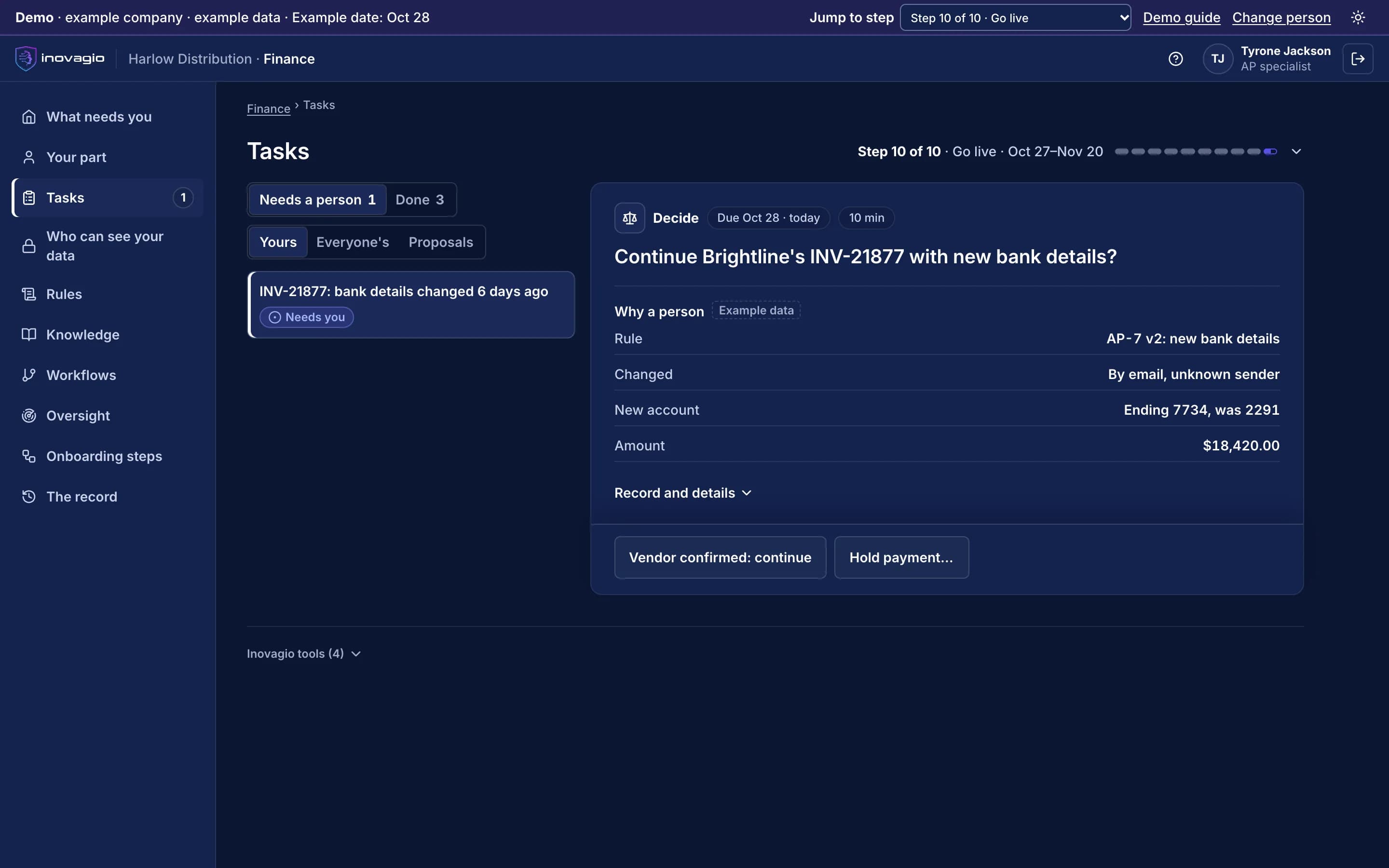
In the App at step 10: Go live, one kind of case at a time.
- Rule AP-7 held invoice INV-21877: the bank details changed by email, from an unknown sender.
- The person sees the rule, the change, the new account and the amount.
- Continue once the vendor confirms, or hold the payment.
Inside Agent Harness
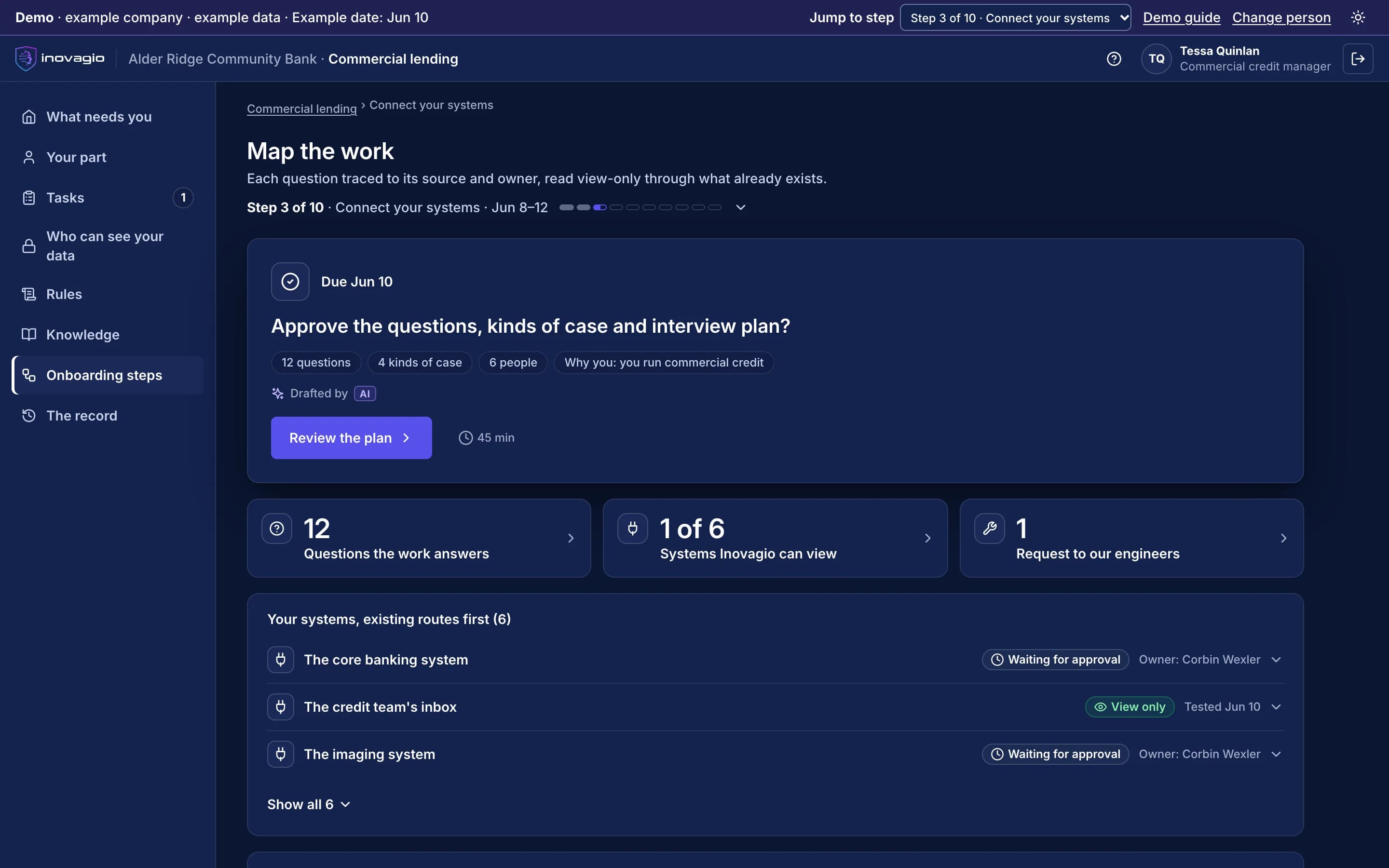
The views Agent Harness gives the people who run it, on sample data from Inovagio’s example companies.
- Synesis
- Virtual Employees
- Agent Harness
- Opsis
- Origin
- Phylax
- Operations
- Platform services
One task, four faces
KA-1187 · Revise the actuator torque checklist to revision D · step 3 of 5
Maintenance-docs agent
Approval · write checklist rev D
Step 3 of 5Rule QA-7.3 · controlled documents
- Task
- Actuator torque checklist
- Step
- 3 of 5 · write revision D
- Waiting for
- Quality engineer
One agent loop behind every face. The same plan and approval record in each: approve in any face and all four move to step 4.
- Synesis
- Virtual Employees
- Agent Harness
- Opsis
- Origin
- Phylax
- Operations
- Platform services
Tool permissions
Maintenance-docs agent · the same in the CLI, Desktop, Web Chat and SDK apps
| Tool | Access | On |
|---|---|---|
| Read documents | Allowed | |
| Search MNEMOS | Allowed | |
| Run checks | Allowed | |
| Write documents | Person first | |
| Send notices | Person first | |
| Order parts | Not allowed | |
| Delete records | Not allowed |
Who approves
- Write documents
- Quality engineer
- Send notices
- Maintenance lead
- New tools
- Person first, by default
- Every call
- Recorded in the audit log
Tool calls, last 7 days
- Read documents412
- Search MNEMOS305
- Run checks214
- Write documents18 approved
Agent Harness › One task, four faces: the same task at the same step in the CLI, Desktop, Web Chat and an app built with the SDK. Sample data from Inovagio’s example companies.
The products that make up Agent Harness.
Agent Harness
- Inovagio CLITerminal agentA governed coding agent that plans, edits, tests and stops for approval.
- Inovagio DesktopWorkspace and command centerChat with your agents and run the whole platform from your desktop.
- Web ChatBrowser agentThe same governed agents, in the browser.
- Inovagio SDKDeveloper kitsBuild your own apps, cards and agents on the Inovagio core.
Everything Agent Harness does, by area.
Agent loop
- Plan mode with a reviewable plan
- In-loop task list
- Goals with budgets and ceilings
- Selectable reasoning strategies
- Verification before completion
- Suspend, approve and resume
Tools and skills
- File, search and edit tools
- Sandboxed shell commands
- Web search and fetch under domain policy
- MCP server tools
- Skills and custom commands
- Signed plugins
Models and memory
- Local inference engine by default
- Other providers with one setting
- Hybrid keyword, vector and graph retrieval
- Durable memory across sessions
- Context compaction
Faces
- Inovagio CLI in the terminal
- Inovagio Desktop
- Web Chat in the browser
- Inovagio SDK in your own app
- One common admin console
What Agent Harness replaces
Agent Harness does the work of these, inside one platform with one identity, one policy and one record:
- A separate assistant for each team and tool
- Hand-built agent loops in every app
- Agent frameworks stitched to a model, a database and a safety layer
The controls Agent Harness brings
Every Inovagio product keeps the same five commitments, because regulated work needs all five at once.
Security
Tools run in a sandbox, and a safety floor blocks dangerous actions in every mode.
Governance
Approval modes and policy profiles set what an agent may do without asking.
On the record
Every tool call is written to the same audit trail.
Monitoring
Tokens, steps and time are shown for every session.
Cost per task
Model choice per task and a budget on every goal keep cost in hand.
Agent Harness in your industry
Every industry runs the same ten steps, so Agent Harness does the same job in each, on that industry’s own work.
- Financial servicesBanks, credit unions, lenders and insurersWorked example: Alder Ridge Community Bank · Example company
- Healthcare providersHealth systems, hospitals and physician groupsWorked example: Meridale Health · Example company
- Health plansMedicare Advantage, Medicaid and commercial plansWorked example: Ashgrove Health Plan · Example company
- LegalLaw firms and in-house legal teamsWorked example: Calloway Finch · Example company
- GovernmentState, county and city agenciesWorked example: City of Larkhaven · Example company
- DefenseDefense contractors and their suppliersWorked example: Keelstone Aerospace · Example company
- Finance operationsFinance teams in any industry
For developers: Agent Harness at a glance
- Faces
- Terminal, desktop app, browser, your own app
- Tools
- Built-in tools, Model Context Protocol servers, signed plugins
- Models
- Inovagio inference engine locally, or other providers per task
- Approval modes
- read-only · approve-edits · auto-edit · full
- Memory
- MNEMOS: hybrid retrieval, reranking, durable memory
- Platforms
- macOS, Linux and Windows
Agent Harness in the platform.
Where Agent Harness fits
One platformAgent Harness (this layer)Agent harness
Inovagio CLIInovagio DesktopWeb ChatInovagio SDK
OpsisExperience layer
FolioMorphe
Virtual EmployeesVirtual Employee layer
NexusErgon
SynesisKnowledge layer
PerceptionMNEMOS
OriginModel layer
Inference ServerForge
PhylaxTrust layer
AuthInovagio SecretsGuard
OperationsOperations
PanoptesArchon
Platform servicesPlatform services
ServerAPI ManagementConnect
Further reading
Guides and posts on Agent Harness

See Agent Harness on one of your workflows.
Every project starts with one workflow your people know well, measured against what it costs you today.