Your team keys the same documents into three systems. Hire a Virtual Employee to do it, inside your rules.
When you hire a Virtual Employee, it starts from a role that knows the general job, learns how the work is done here from your people, and proves itself on your own cases.
We’ll spend 30 minutes with you on one of your workflows, and you don’t need to share any data.
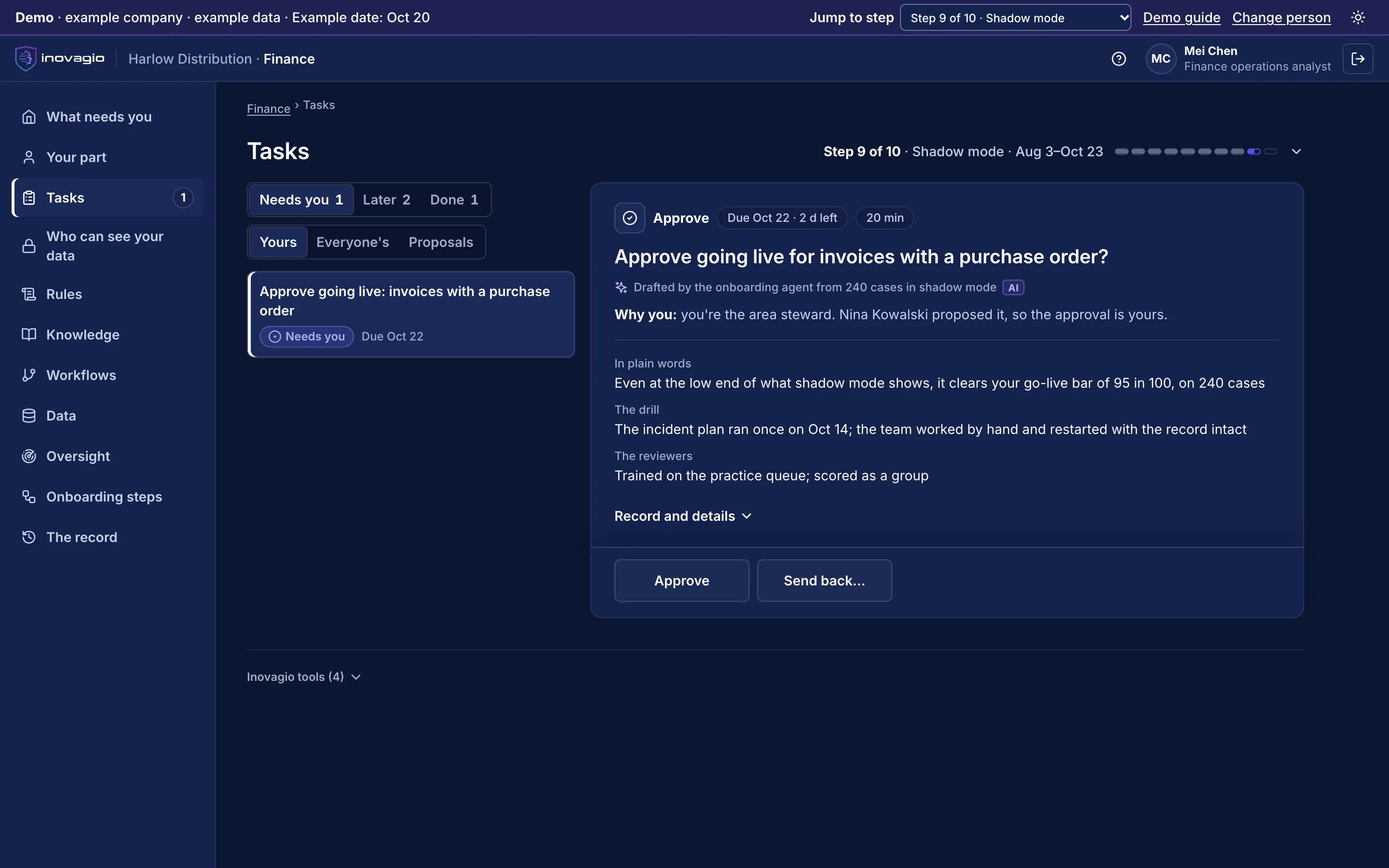
Pictured: going live for one kind of case at a time, approved by a person, in the Inovagio App (example company).
Pick the role. Give it the routine queue.
Each Virtual Employee starts out knowing the general job. Your people tell it how the work is done here, and it hands them the exceptions with the reason attached.
Finance and accounting
Accounts payable clerk
Finance operations
Matches and codes each invoice against the order and receipt, checks for duplicates, and chases missing approvals. It never releases a payment.
Audits each claim file against your state’s standards, keeps its deadlines and drafts the letters for the adjuster. Every coverage, reserve, payment and settlement decision stays with your adjusters.
Matches each denial to the payer’s reason, the claim and the record, and drafts the corrected claim or the appeal. A person signs every appeal, and it never denies care.
Reconciles each enrollment and premium file with your core system line by line and drafts the query for every break. A person applies every retroactive termination and every change outside your rules.
One Virtual Employee, from no access to live work.
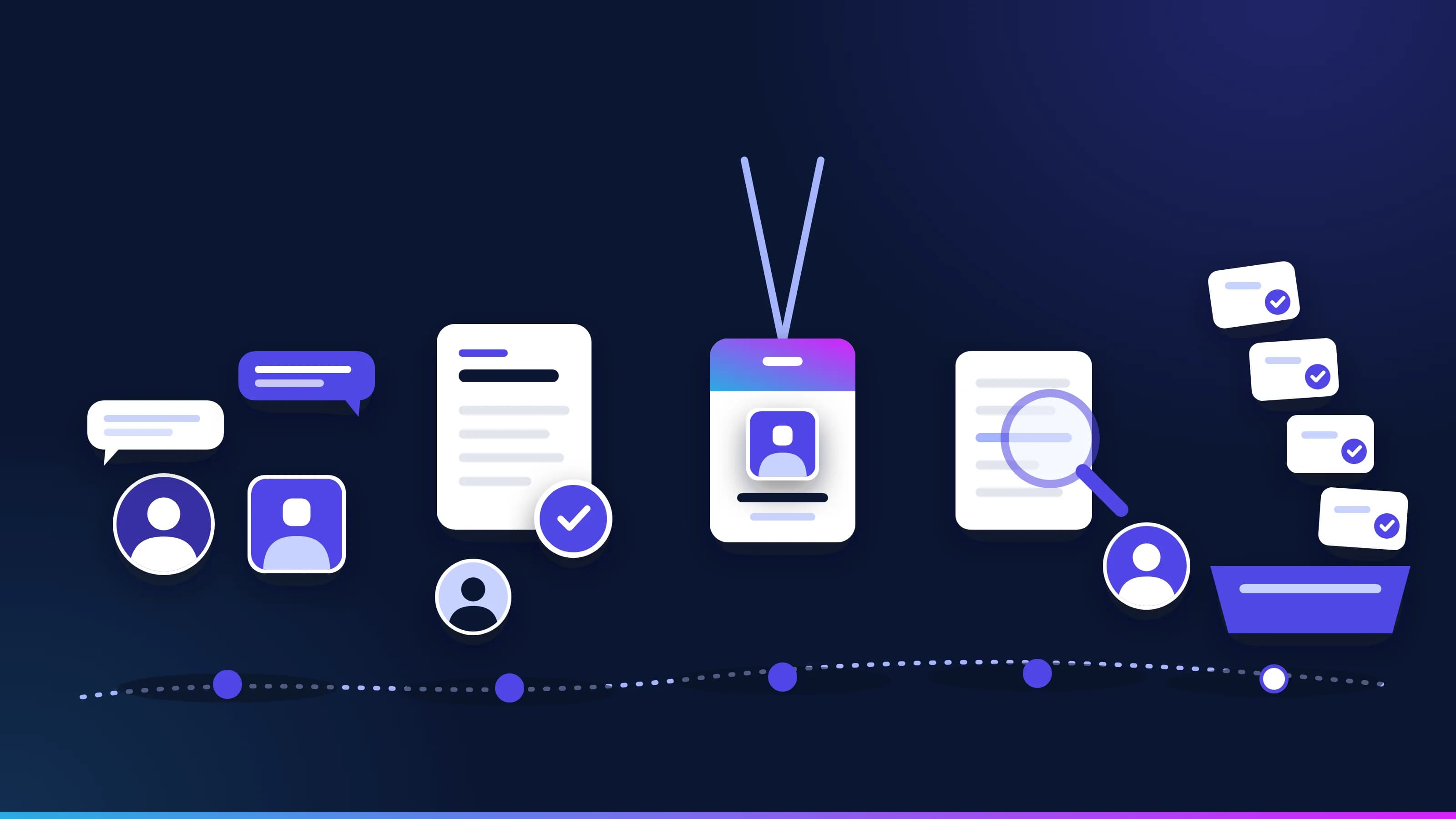
The same steps you would take with a new hire, all on the record: an account, training, a test, a sign-off, time beside the team, and then the work, one kind of case at a time. Shown on Harlow Distribution’s accounts payable Virtual Employee, an example company.
1 of 5 · Step 2
Its own account, with no access
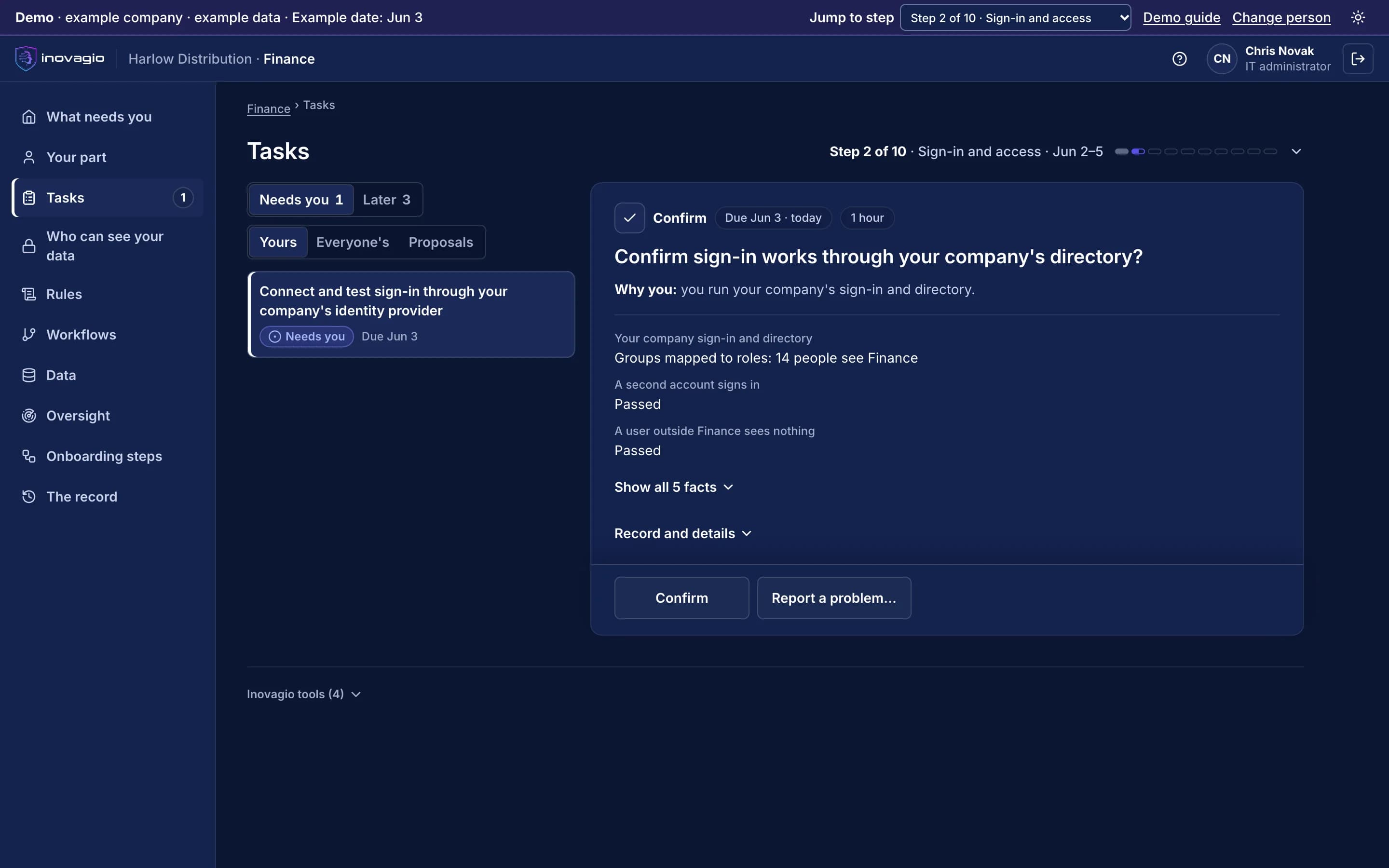
It gets its own identity in your directory, never a shared login, and it starts with no access. Tests prove someone outside the department sees nothing. Disable the account and the work stops.
Sign-in tested; a user outside Finance sees nothing
The screen beside this step: IT’s task in the Inovagio App: confirm sign-in works through the company’s directory, with a user outside the department seeing nothing.
The Inovagio App, from the demo · example company, example data
The Inovagio App, from the demo · example company, example data
2 of 5 · Steps 3 to 6
It learns the job from your people
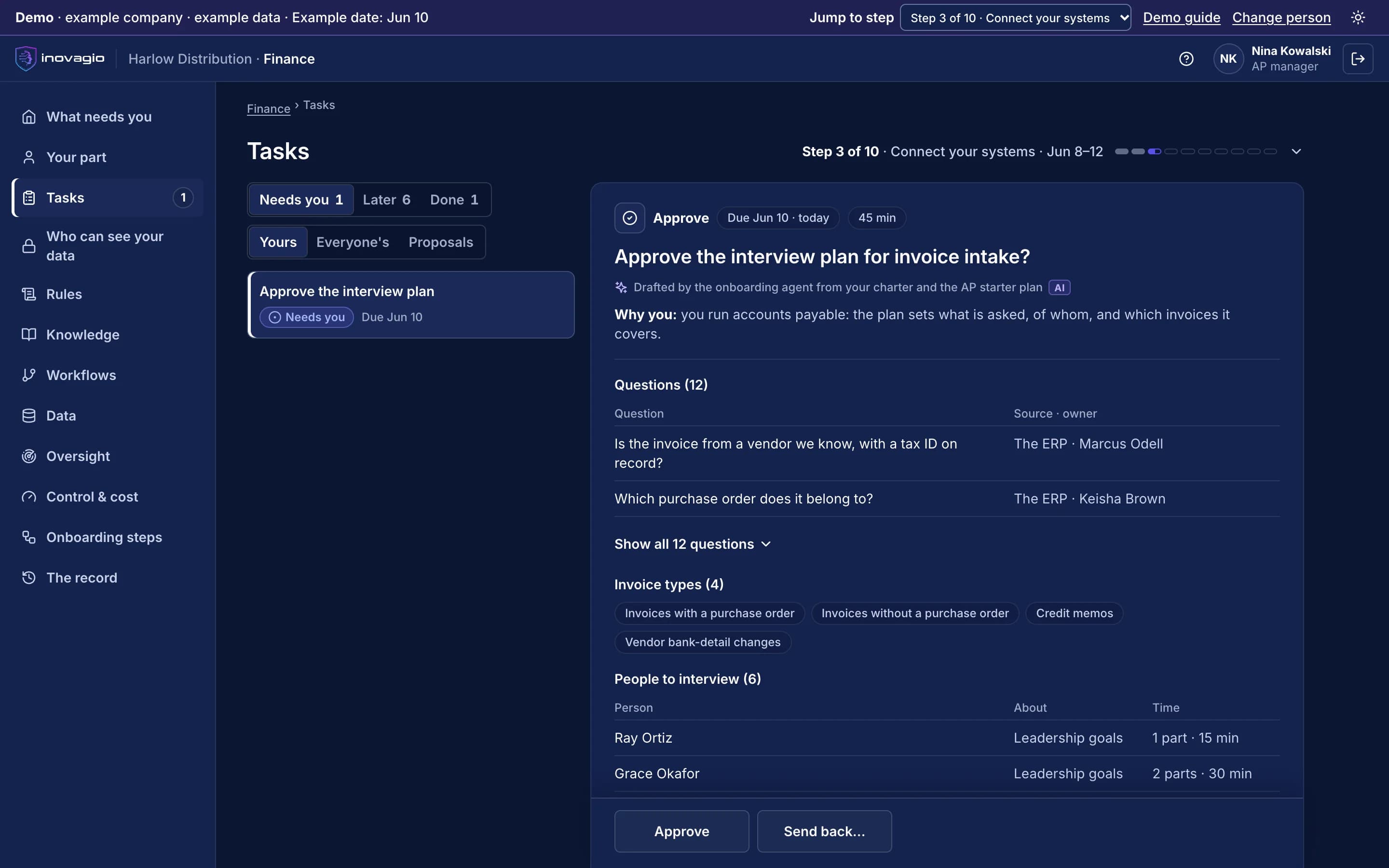
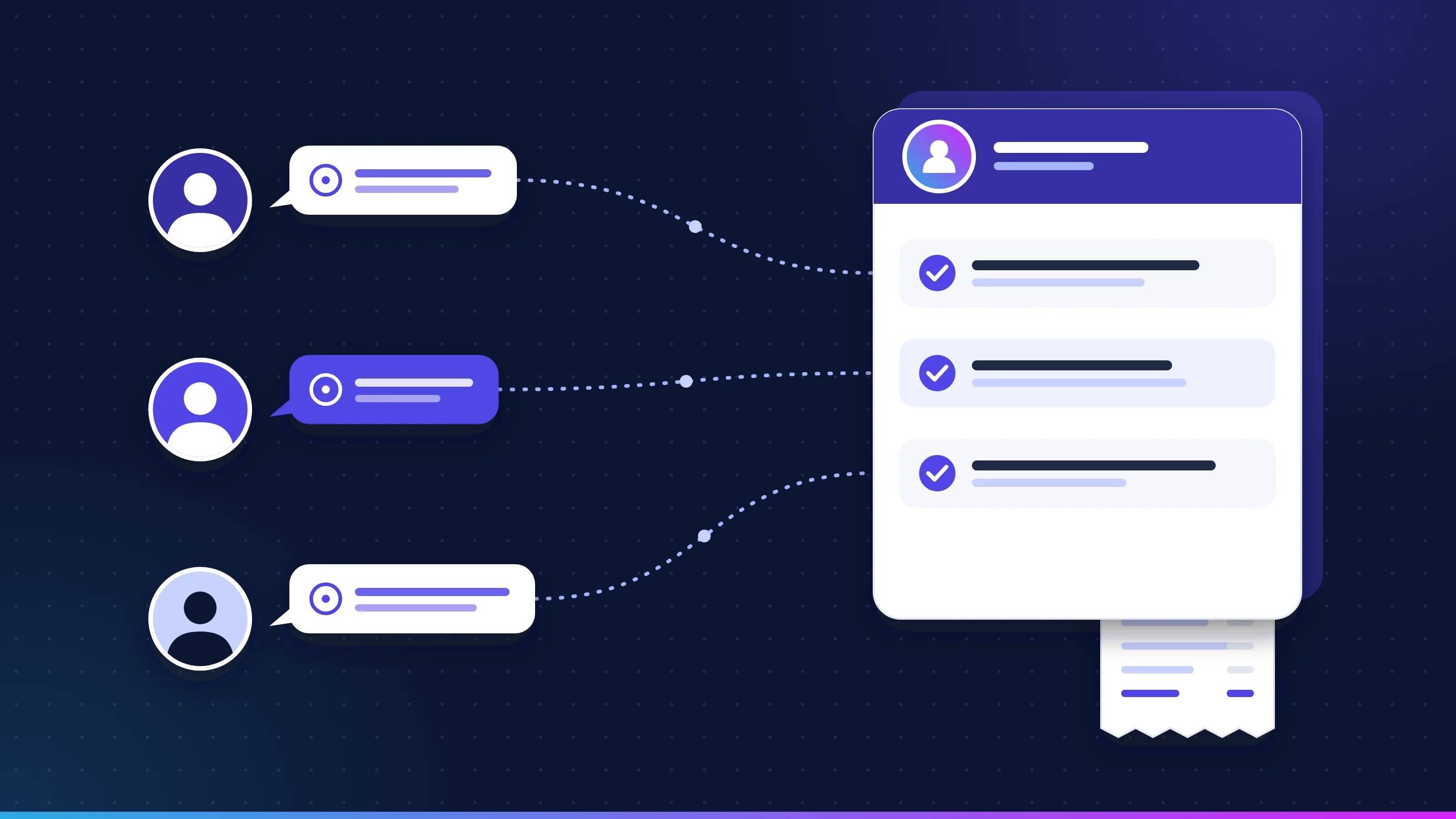
Your systems connect read-only, each approved by its owner. Our agents interview the people who do the work in parts of 15 minutes or less, and each rule is quoted from its source and approved by its owner. Nobody approves their own change.
12 questions, 4 kinds of invoice, 6 people to interview
The screen beside this step: The AP manager’s task in the Inovagio App: approve the interview plan for invoice intake, with the questions, each one’s source and owner, the kinds of invoice and the people to interview.
The Inovagio App, from the demo · example company, example data
The Inovagio App, from the demo · example company, example data
3 of 5 · Step 7
Tested on your own past cases
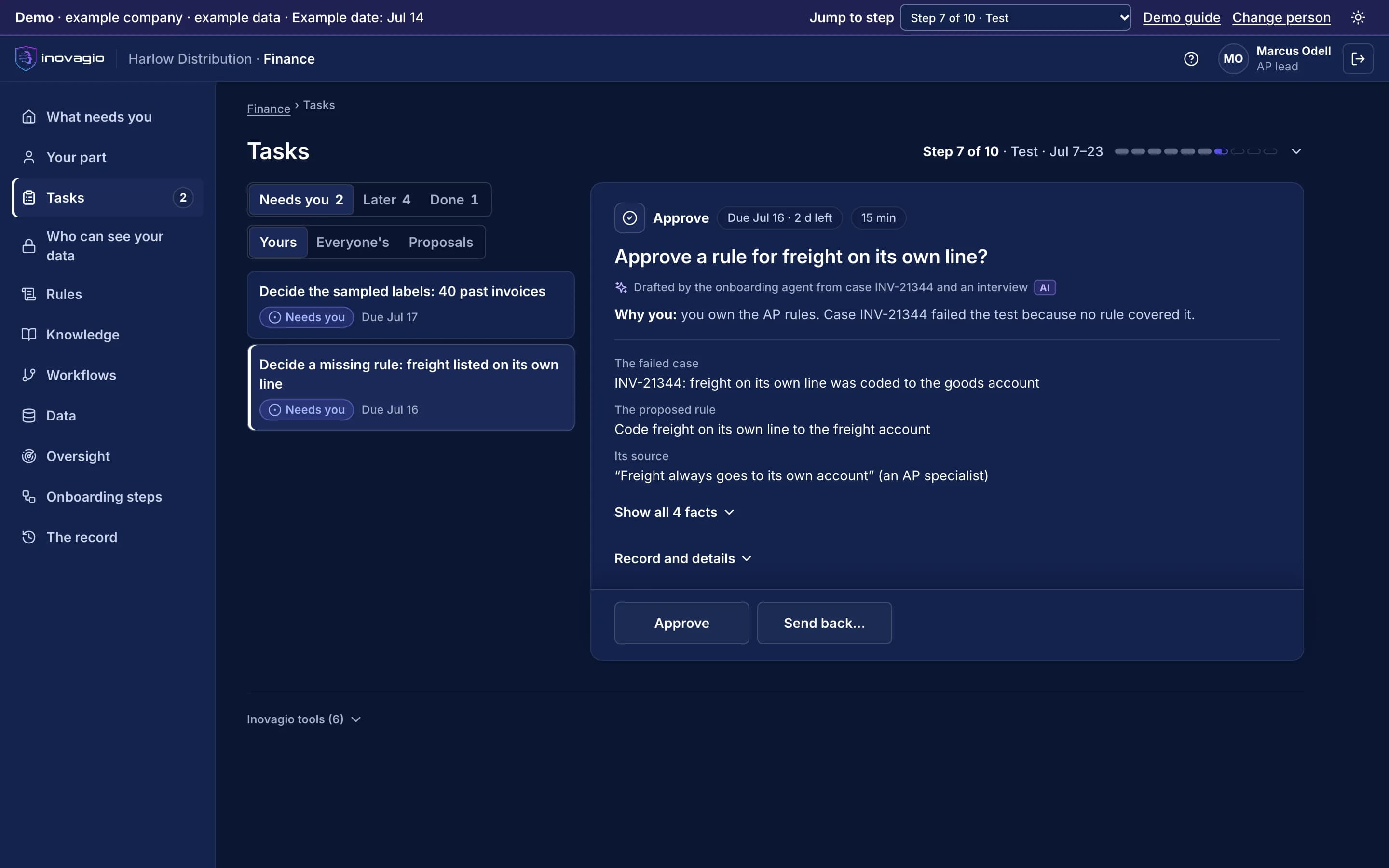
It is tested on past cases locked away before it was built, then attacked on purpose. Each failure becomes a rule its owner has to decide, and a kind of case that misses the pass mark stays with your people.
A failed case becomes a rule, quoted from its source
The screen beside this step: A rule owner’s task in the Inovagio App: a test case failed because no rule covered freight on its own line, and the proposed rule quotes its source.
The Inovagio App, from the demo · example company, example data
The Inovagio App, from the demo · example company, example data
4 of 5 · Steps 8 and 9
Signed off, then beside your team
Someone who built none of it verifies the release, and your sponsor signs the exact version. In shadow mode its drafts stay hidden until your reviewer decides, so your team works as usual. Each kind of case is proposed for live work on its own results.
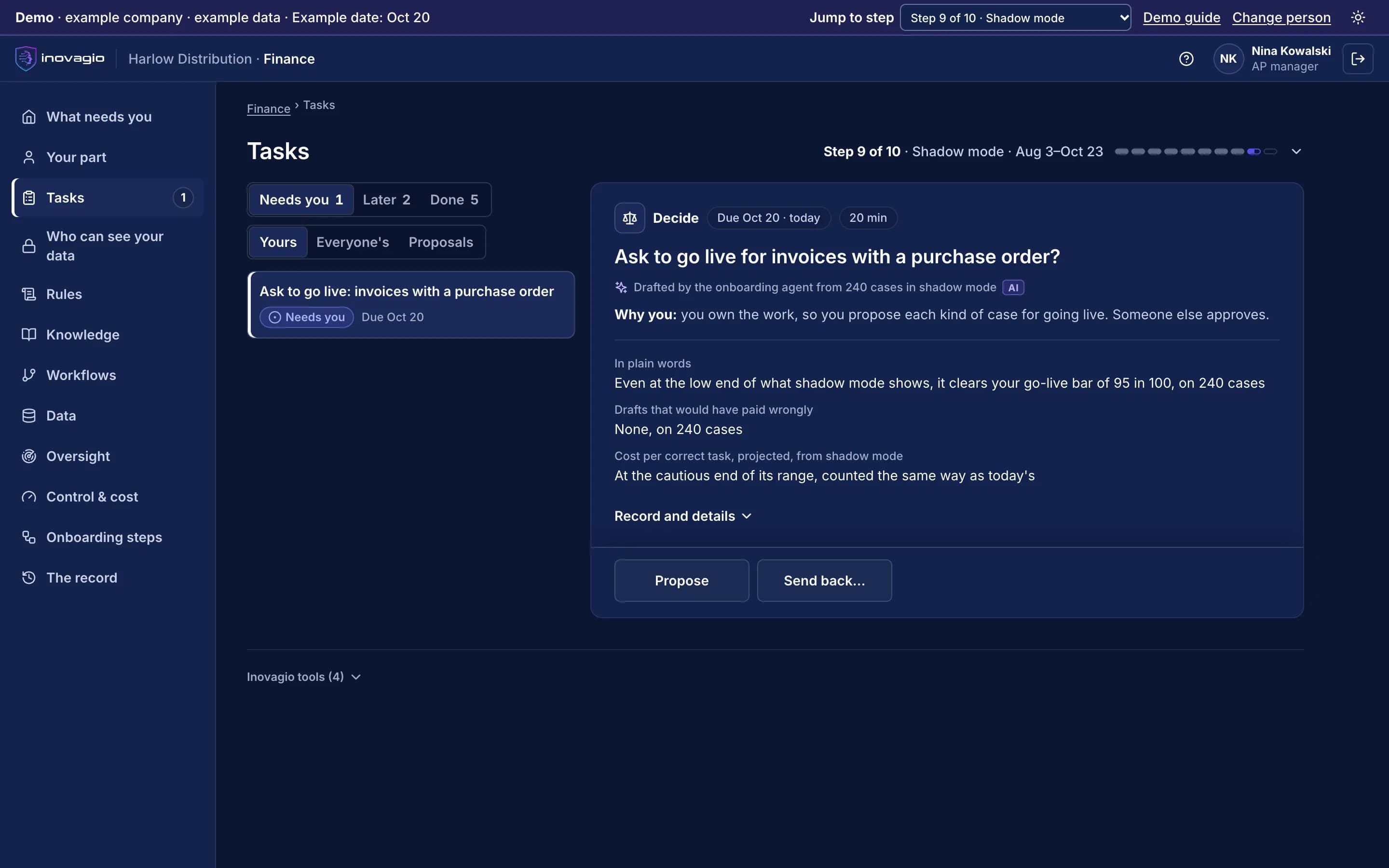
Invoices with a purchase order: asking to go live
The screen beside this step: The AP manager’s task in the Inovagio App: ask to go live for one kind of case, invoices with a purchase order, from shadow mode’s results.
The Inovagio App, from the demo · example company, example data
The Inovagio App, from the demo · example company, example data
5 of 5 · Step 10
Live, with permission one action at a time
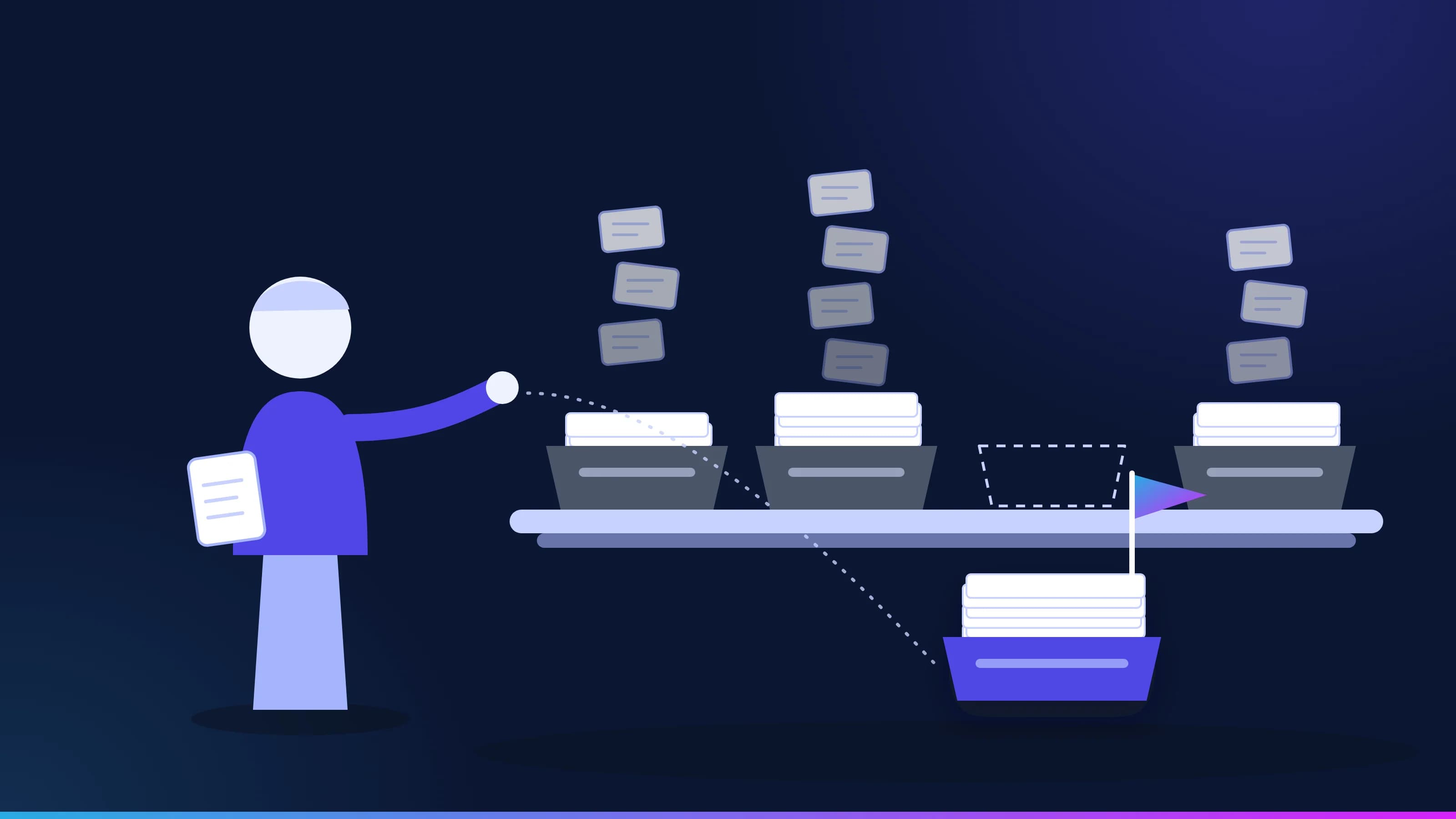
Each kind of case goes live on its own, spot-checked first. Write access is granted one action at a time, limited and set to expire, and moving money always needs a person. Exceptions reach your team with the reason attached.
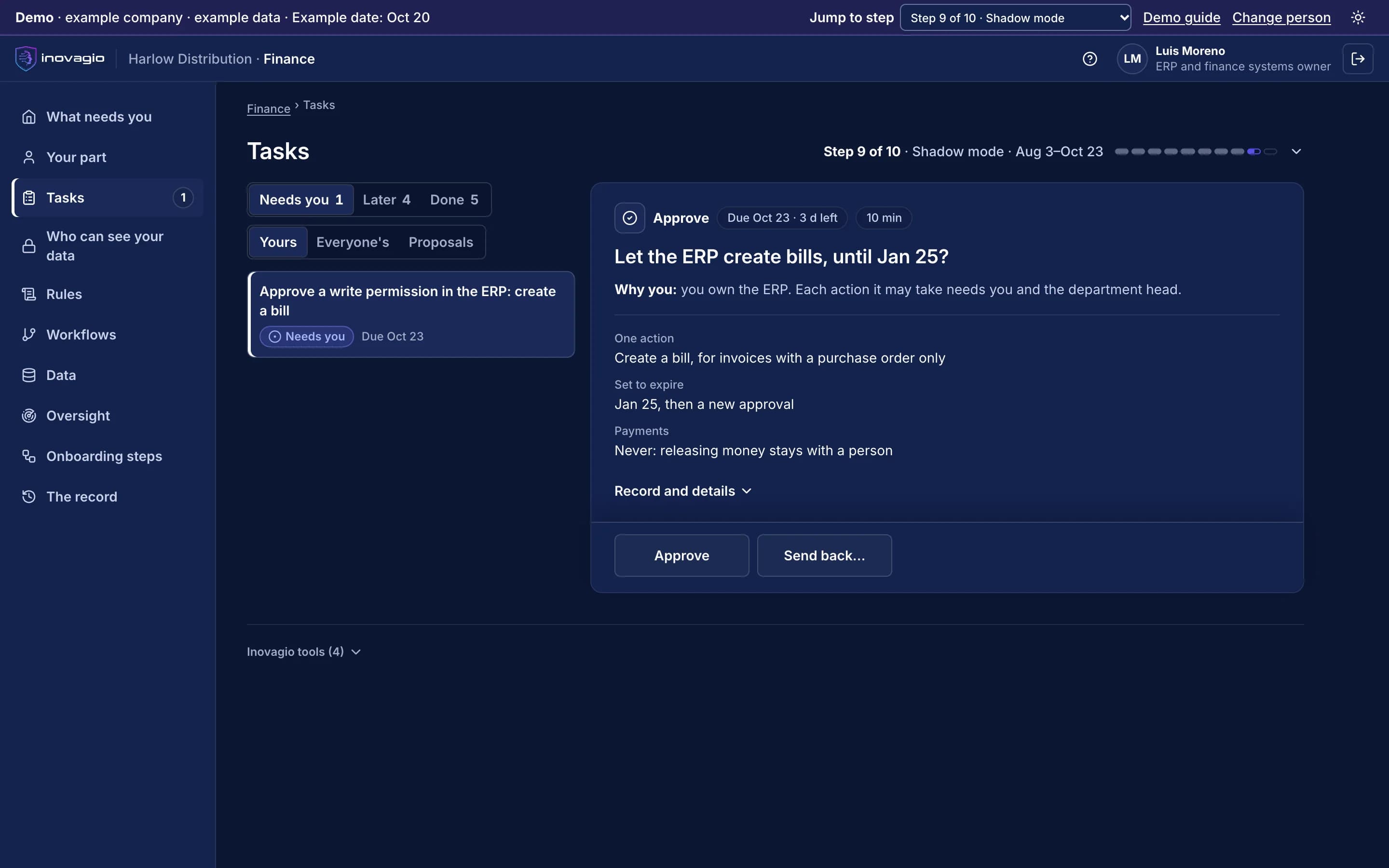
One action: create a bill, until a set date
The screen beside this step: The ERP owner’s task in the Inovagio App: let the ERP create bills for invoices with a purchase order only, set to expire, with releasing money kept with a person.
The Inovagio App, from the demo · example company, example data
The Inovagio App, from the demo · example company, example data
The Inovagio App, from the demo: Harlow Distribution’s finance team. Example company, example data.
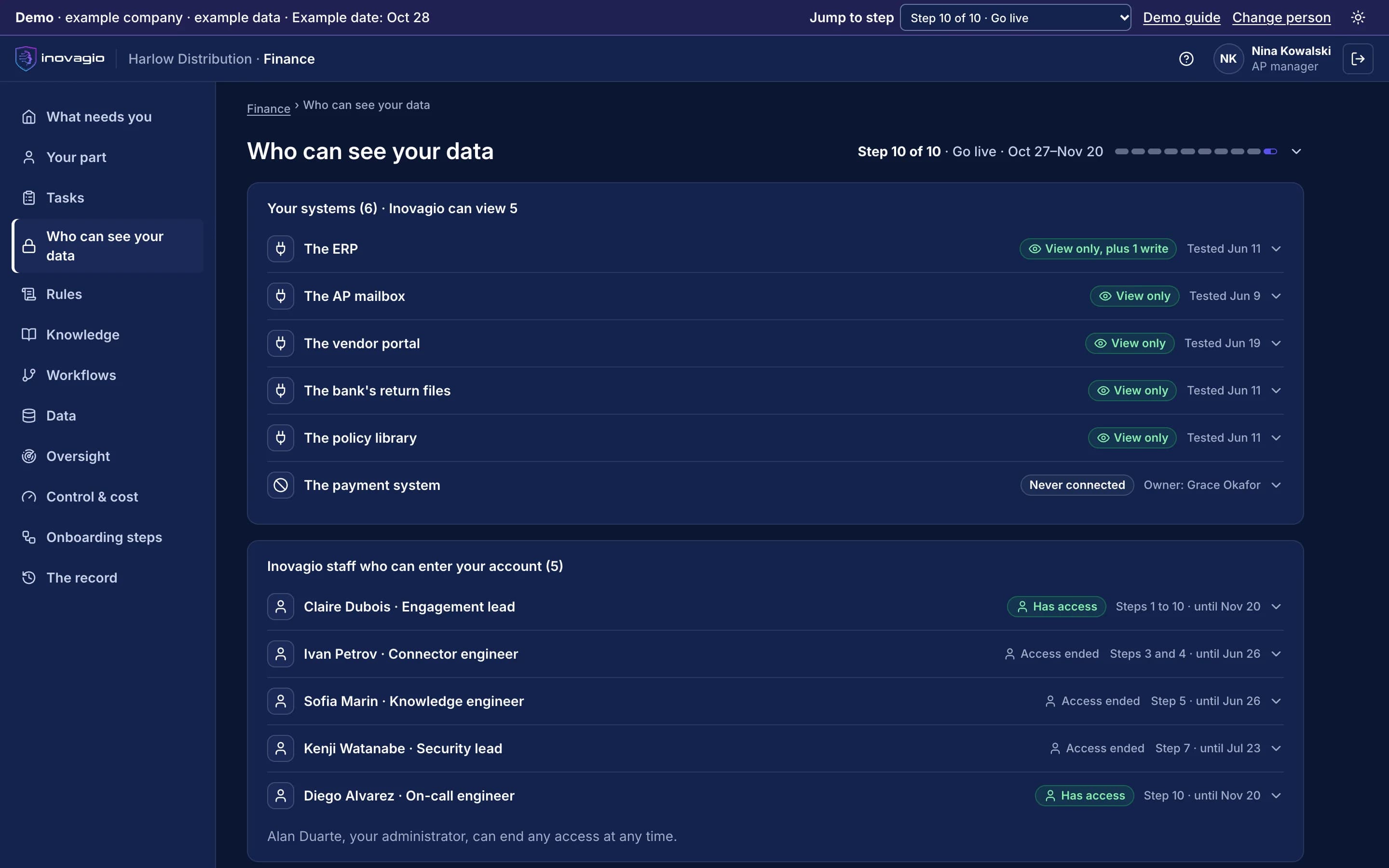
Its account in the open: every system it can reach and how, and every Inovagio person with access, each until a set date. From the demo (example company).
Its account in the open: every system it can reach and how, and every Inovagio person with access, each until a set date. From the demo (example company).
What it means for your team.
We recommend using the time it frees for the backlog and the exceptions, not for cuts. Only you can promise that, and your sponsor writes it in the charter, in their own words, before anyone is interviewed.
A 30-minute briefing on one workflow of yours: whether it fits, what the first steps would be, and roughly what it would ask of your people. No data needed.