

OpsisCard apps
Answers as cards your team can act on.
Approvals, documents, sheets and charts as card apps from approved templates, every value linked to its source.
We’ll spend 30 minutes with you on one of your workflows, and you don’t need to share any data.
Where Opsis works
The cards people use to decide, correct and read a record, drafted from approved starter templates for each department’s records and documents (Opsis). These are the onboarding steps it works in, from your first decision to live work, and after go-live.
- Step 6 · BuildBuild the releaseRemoves: The black box.
- Step 7 · TestTest it, try to break it, fix itRemoves: “Trust us.”
- Step 8 · Sign offSign off and verifyRemoves: “Who approved this?”
- Step 10 · LiveGo live, one kind of case at a timeRemoves: The big-bang switch.
- After go-live · Step 9 · ShadowRun in shadow mode and prepare the teamRemoves: The leap of faith from test to live.
- After go-live · OperateOperate: watch, re-test, decideRemoves: Silent drift, and spend nobody can justify.
What Opsis does
Opsis is Inovagio’s display engine: agents answer with card apps, such as approvals, documents, sheets and charts, drawn from approved templates and never from generated code.
Approved templates only
The agent names a card type from a validated catalog. Unknown types and raw HTML never render.
Every value has a source
Numbers come from a data query, not model text, and link to the rows they came from.
Sensitive data stays masked
Area and data class travel with the card, and masking happens before anything is drawn.
Same card on desktop, web and phone
One engine draws the same card on desktop, web and phone, with no outside UI framework.
Every card is a governed contract.
Seven parts make up every card, and four checkpoints sit between the model and what a person sees.
Anatomy of a card
Alder Ridge Community Bank, an example company · a renewal waiting on documents
“Get LN-3187 ready for review.”asked by the credit analyst
Loan file LN-3187 · credit decision
- Borrower
- Harlow Supply Co.↗ row
- Renewal type
- Renewal with new money↗ row
- 2025 business tax return
- Received↗ row
- Interim statement, Sep 2026
- Received↗ row
- 2024 business tax return
- Requested↗ row
Why this card: renewal documents rule v2 · credit policy §3.2 · the plan in plain language · 3 sources
receipt RC-41F7 · refreshed 2 min ago · loan file LN-3187, credit policy §3.2
Seven parts in every card
- Card type from a validated catalogThe agent names a card type. Unknown types or raw HTML never render.
- Sensitivity marksArea and data class travel with the card; masking happens before anything is drawn.
- The askThe question in the person’s own words stays attached to the answer.
- Data bindingEvery value comes from a MNEMOS query plan, not model text, and links to its rows.
- ActionsEach click is a write under the person’s identity; changes become tasks with oversight.
- ExplanationThe terms used, the plan in plain language and the sources, one tap away.
- ReceiptReceipt id, freshness and sources, so any answer can be audited later.
Four checkpoints before anything is drawn
1 · Agent
Emits a card spec as data, never as interface code.
2 · Client
Checks it against the validated catalog and the person’s permissions.
3 · MNEMOS
Binds it to live data with the asker’s credentials, rows and fields masked.
4 · Renderer
Draws it in WebAssembly, the same on desktop, web and phone.
The model decides what to show; the platform decides whether and how.
Opsis at work
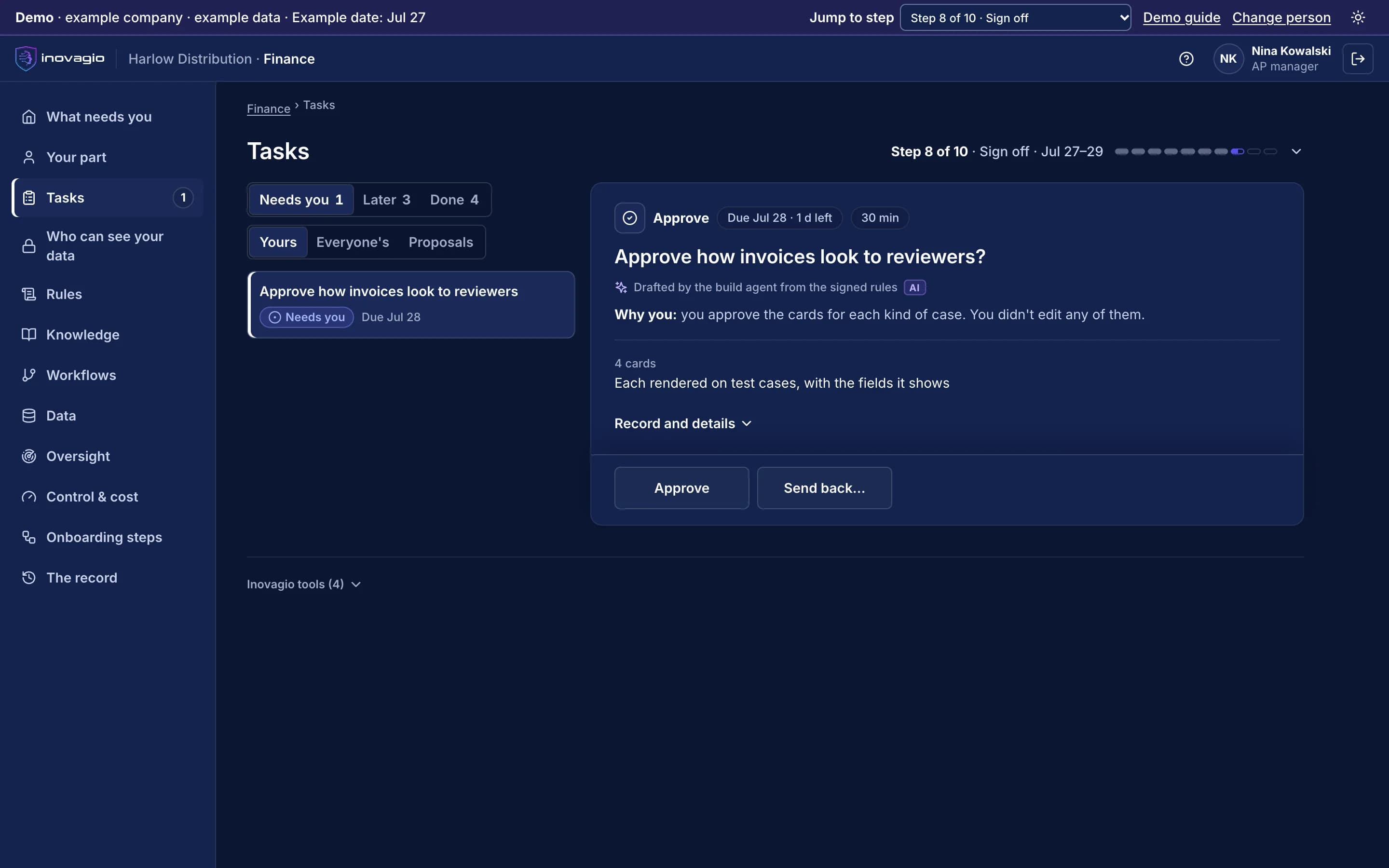
In the App at step 8: Sign off and verify.
- Four cards, each rendered on test cases with the fields it shows.
- The department head decides how invoices look to reviewers.
- The task is itself a card: Approve or Send back, with its record.
Inside Opsis
The views Opsis gives the people who run it, on sample data from Inovagio’s example companies.
- Synesis
- Virtual Employees
- Agent Harness
- Opsis
- Origin
- Phylax
- Operations
- Platform services
Auto claims · team wall
Six cards from MNEMOS, documents and the claims system, kept live
Claim CL-26-07731
ApprovalCoverage confirmed · repair estimate within authority
Adjuster report · draft
DocumentRear impact at low speed; bumper, tail light and trunk lid damaged1. No prior damage on file2. Repair at a network shop recommended.
Drafted by the claims agent · 2 sources
Claims closed per week
ChartLast six weeks · from the claims system
Policy HM-P-7781
Record- Line
- Personal auto
- Coverage
- Collision, comprehensive
- In force
- Yes · on date of loss
- Deductible
- Matches declarations
This week
FiguresOpen claims
128
Within target
94%
Median days
4.2
Reopened
2
Waiting for a person
Task- CL-26-07731 · coverageAdjuster
- CL-2038 · total lossTeam lead
- CL-2033 · rental extensionAdjuster
Coverage check
Waiting for youAuto physical damage · within authority
- ConfirmedDeclarations pagePolicy in force on date of loss
- Collision: coveredPolicy §D.1Peril covered
- None applyPolicy §D.4Exclusions
- Matches declarationsDeclarations pageDeductible
- Consistent with reportPhotos 1–4Photos and estimate
- Intake
- Coverage
- Adjuster
- Payment
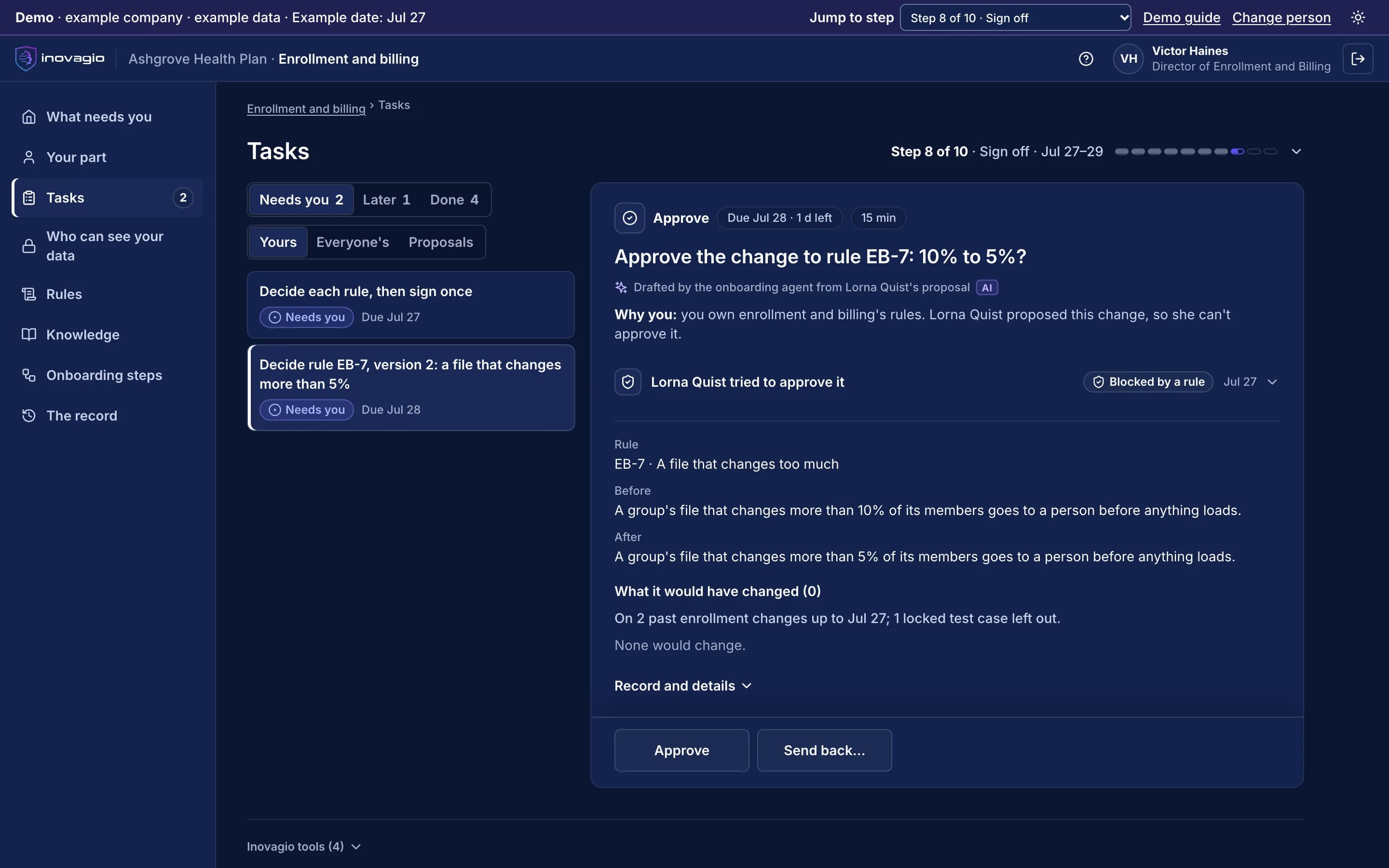
Opsis › Decision card: a rule change on its decision card: what changes, why this person decides, a block that stops the person who proposed it from approving it, and the choices. Sample data from Inovagio’s example companies.
What you get with Opsis
How answers arrive
As card apps with the actions built in.
Safety
Only reviewed templates, checked against the person’s permissions.
Trust in the numbers
Every figure is bound to live data and linked to its rows.
Building screens
One engine draws document, sheet and chart cards.
Everything Opsis does, by area.
Card kit
- Validated card catalog
- 19 standard templates: approval, task, inbox, KPI, workflow, incident and more
- Data binding and repeaters
- Forms that work without scripts
- Charts: line, bar, area, candlestick
- Grids, diagrams and documents
Data and apps
- MNEMOS, sheet, document and connector sources
- Time series with server-side downsampling
- Sensor streams
- Versioned apps with pages and navigation
- Shared app state
- Templates saved only after review
Security
- Tenant bound from the signed-in identity
- Classification floor on every card
- Strict content security policy on the web
- Every action authorized and audited
- Untrusted files parsed under limits
Delivery
- Server-rendered HTML with live partial updates
- WASM in a worker
- Native hosts through the C ABI
- No third-party runtime dependencies
What Opsis replaces
Opsis does the work of these, inside one platform with one identity, one policy and one record:
- Dashboard builder
- Low-code internal app builder
- Model-generated front-end code
- Front-end framework plus component libraries
The controls Opsis brings
Every Inovagio product keeps the same five commitments, because regulated work needs all five at once.
Security
Cards run in a sandbox with only the data the user may see.
Governance
Every card type comes from a validated catalog and is checked against the person’s permissions before it renders.
On the record
Approvals made on a card are part of the record.
Monitoring
Card load and use are reported to Panoptes.
Cost per task
One card engine for desktop, web and phone, instead of a front end per app.
Opsis in your industry
Every industry runs the same ten steps, so Opsis does the same job in each, on that industry’s own work.
- Financial servicesBanks, credit unions, lenders and insurersWorked example: Alder Ridge Community Bank · Example company
- Healthcare providersHealth systems, hospitals and physician groupsWorked example: Meridale Health · Example company
- Health plansMedicare Advantage, Medicaid and commercial plansWorked example: Ashgrove Health Plan · Example company
- LegalLaw firms and in-house legal teamsWorked example: Calloway Finch · Example company
- GovernmentState, county and city agenciesWorked example: City of Larkhaven · Example company
- DefenseDefense contractors and their suppliersWorked example: Keelstone Aerospace · Example company
- Finance operationsFinance teams in any industry
For developers: Opsis at a glance
- Surfaces
- Web, desktop, iOS and mobile, microcontroller (by profile)
- Engine
- First-party C++ UI engine
- Web delivery
- Server-rendered HTML plus WASM islands
- Data
- MNEMOS, sensors, connectors
- Classifications
- Public through PHI
- Accessibility
- Semantic tree on every card; keyboard operable
Opsis in the platform.
Where Opsis fits
One platformAgent HarnessAgent harness
Inovagio CLIInovagio DesktopWeb ChatInovagio SDK
Opsis (this layer)Experience layer
FolioMorphe
Virtual EmployeesVirtual Employee layer
NexusErgon
SynesisKnowledge layer
PerceptionMNEMOS
OriginModel layer
Inference ServerForge
PhylaxTrust layer
AuthInovagio SecretsGuard
OperationsOperations
PanoptesArchon
Platform servicesPlatform services
ServerAPI ManagementConnect
Questions
Opsis questions
Can an agent draw anything it likes?
No. It can only name a card type from your validated catalog, and the client checks it against the person’s permissions before anything renders.
What does a click on a card do?
Each click is a write under the person’s own identity, and changes become tasks with oversight.
Guides and posts on Opsis
 Guide · GovernanceHow an AI business rule is written and approvedEvery Virtual Employee works from rules approved one at a time by the people you make responsible. What a rule contains, who signs it, how a correction becomes a new version, and how any change is rolled back. · updated November 18, 2026 · 9 min read
 Article · ApproachFaster AI makes owning it more valuableIf AI models keep improving this fast, why own any of it? Because a better model still doesn't know your business, and every layer you own gains value with each new model. · updated November 20, 2026 · 3 min read
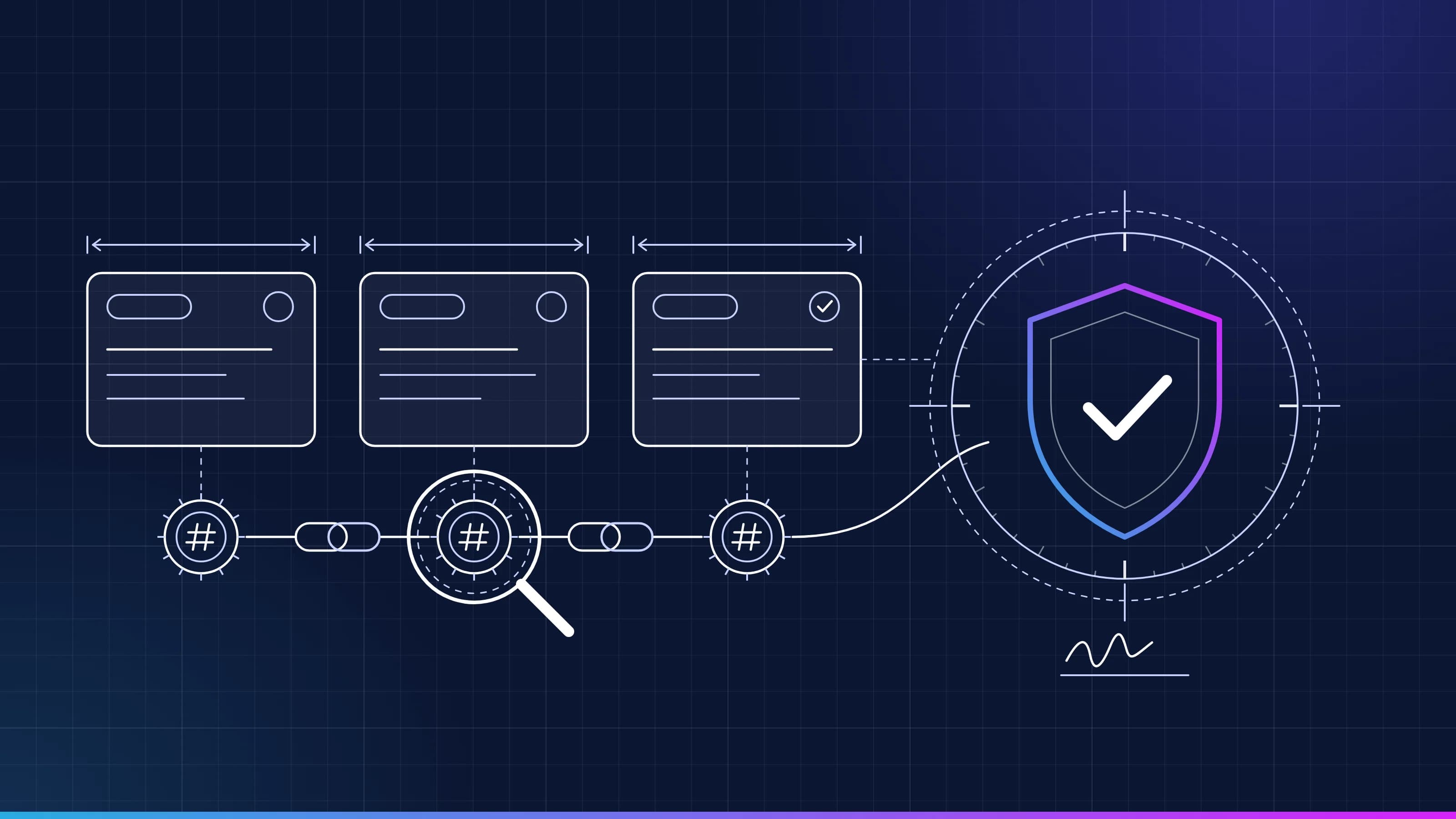 Guide · AI audit trailRead a task recordEvery task Inovagio runs leaves a tamper-evident record. Here is what each line means, how the seals chain together, and how to replay a task end to end. · updated November 18, 2026 · 5 min read
See Opsis on one of your workflows.
Every project starts with one workflow your people know well, measured against what it costs you today.